
Free AI Architectural Rendering Generator - Create Professional Building Renders
Generate stunning architectural renderings and building visualizations instantly with AI. Free architectural rendering tool powered by Nano Banana Pro and Dreamina. Create photorealistic exterior renders, concept designs, and architectural presentations in seconds. Perfect for architects, designers, and real estate.
1. What is Architectural Rendering Generator?
The Architectural Rendering Generator is a cutting-edge AI-powered tool designed to transform the workflow of architects, real estate developers, and interior designers. In an industry where visual communication is paramount, this tool bridges the gap between conceptual sketches and high-end photorealistic visualizations. Traditionally, producing professional renders required expensive software like V-Ray or Lumion, powerful hardware, and days of rendering time. With the Architectural Rendering Generator, users can create stunning building exteriors, intricate architectural details, and comprehensive site visualizations in seconds.
Whether you are an architect presenting a competition entry, a real estate agent marketing a luxury property, or an urban planner visualizing a new development, this tool provides the fidelity and artistic control needed to persuade clients and stakeholders. It leverages advanced diffusion models to understand architectural terminology, spatial relationships, and material properties, delivering results that rival manual 3D modeling.
Key Features
- 🧱 Photorealistic Materials: Accurately simulates complex textures such as reflective glass curtain walls, raw board-formed concrete, warm timber cladding, and polished stone, ensuring material fidelity in every shot.
- 📐 Multiple Viewing Angles: Effortlessly generates essential architectural perspectives, including aerial drone shots for site context, street-level views for pedestrian experience, and eye-level renders for human scale.
- ☀️ Time-of-Day Lighting: Controls the atmospheric mood with precision, offering scenarios like the warm glow of the "golden hour," the cool serenity of the "blue hour," or bright, high-contrast midday sun for clarity.
- 🌳 Environmental Context: Automatically integrates buildings into realistic settings, whether it’s a dense urban cityscape with surrounding high-rises, a serene natural landscape, or a mixed-use suburban environment.
- 🏛️ Architectural Style Versatility: Supports a vast library of design languages, from sleek Modernist and parametric designs to brutalist structures, classical orders, and contemporary sustainable architecture.
- ⚖️ Scale and Proportion Accuracy: Maintains structural logic and realistic proportions, ensuring that windows, doors, and floor heights align with standard architectural dimensions.
- 🍂 Weather and Seasonal Variations: Visualizes projects under various conditions—rainy reflections, snowy winter scenes, or crisp autumn settings—to demonstrate how the building interacts with the elements throughout the year.
2. How to Use Architectural Rendering Generator?
Creating professional architectural visualizations with AI is a structured process that combines your design intent with the AI's generative capabilities. Follow these steps to produce publication-ready renders.
Step 1: Describe Your Building Design
The foundation of a great render is a descriptive prompt. You need to articulate the what, where, and how of your building. Start by defining the building type (e.g., museum, high-rise, private villa) and its architectural style. Then, layer in details about materials, the surrounding environment, and the specific lighting conditions you want to emulate.
Example Prompt Context:
"A low-angle shot of a cantilevered modern art museum made of white concrete and glass, situated on a cliff edge overlooking a stormy ocean at dusk."
💡 Rendering Prompt Tips
- Specify Architectural Style Clearly: Use specific terms like "Bauhaus," "Deconstructivist," "Mid-century Modern," or "Parametric" to guide the AI's form generation.
- Define Materials Precisely: Don't just say "wood"; specify "vertical cedar siding" or "polished walnut panels." Instead of "glass," use "floor-to-ceiling double-glazed curtain wall."
- Mention Lighting/Time of Day: Lighting defines the form. Use terms like "dramatic shadows," "soft diffuse lighting," "golden hour," or "volumetric lighting."
- Include Environmental Context: Describe the site. Is it a "bustling Tokyo street corner at night" or a "secluded forest clearing with pine trees"?
- Specify Camera Angle: dictate the composition with terms like "two-point perspective," "worm's-eye view," "isometric view," or "top-down plan view."
- Add Atmospheric Effects: enhance realism with "fog," "mist," "rain reflections on pavement," or "lens flare."
Step 2: Choose Generation Parameters
Selecting the right model and settings is crucial for achieving the desired aesthetic.
- AI Model Selection:
- Nano Banana Pro (gemini-3-pro-image-preview): The premier choice for photorealistic architectural rendering. This cutting-edge model excels at handling complex lighting, reflections, and fine material textures like glass facades, weathered concrete, and polished marble. Use Nano Banana Pro for final client presentations and marketing materials where photorealism is critical.
- Dreamina: Best for artistic and conceptual renders. If you are in the early ideation phase and want to explore mood, atmosphere, and abstract forms, this model offers more creative freedom.
- SeeDream: Ideal for clean, modern architectural visualization. SeeDream produces crisp lines, bright balanced lighting, and minimal post-processing noise, making it perfect for architectural diagrams, daylight studies, and minimalist contemporary buildings.
- Image Size:
- Landscape (16:9 or 3:2): The standard for building exteriors, site plans, and contextual street views.
- Portrait (9:16 or 2:3): Essential for skyscrapers, towers, and vertical details or capturing a tall atrium.
- Square (1:1): Great for social media (Instagram) or focusing on specific architectural details like an entrance or a façade pattern.
- Generation Quantity: Generate a batch of 4 images at a time. This allows you to see variations in composition and lighting, giving you options to choose the best base for refinement.
- Negative Prompt: Use this to exclude unwanted elements. Common negative prompts for architecture include "distorted perspective," "blur," "low resolution," "cartoon," "people," or "cars" (if you want a clean architectural model look).
Step 3: Generate & Refine for Presentations
Once you have entered your prompt and settings:
- Hit Generate: Review the outputs. Look for the image with the best composition and lighting.
- Iterate: If the material isn't quite right (e.g., the concrete looks too smooth), adjust the prompt to add "rough texture" or "exposed aggregate" and regenerate.
- Angle Variations: Keep the core building description the same but change the camera angle keywords (e.g., switch from "eye-level" to "aerial view") to create a comprehensive set of images for a presentation board.
- Lighting Studies: Change only the time of day (e.g., "noon" to "midnight") to produce a lighting study showing how the building transforms from day to night.
- Export: Download the high-resolution images for use in client pitches, design portfolios, or marketing brochures.
3. Use Cases & Example Prompts
The versatility of the Architectural Rendering Generator makes it an indispensable asset across various sectors of the built environment industry. From high-stakes real estate marketing to conceptual design competitions, here is how professionals are leveraging this tool, accompanied by specific prompts you can use immediately.
3.1 Real Estate Marketing
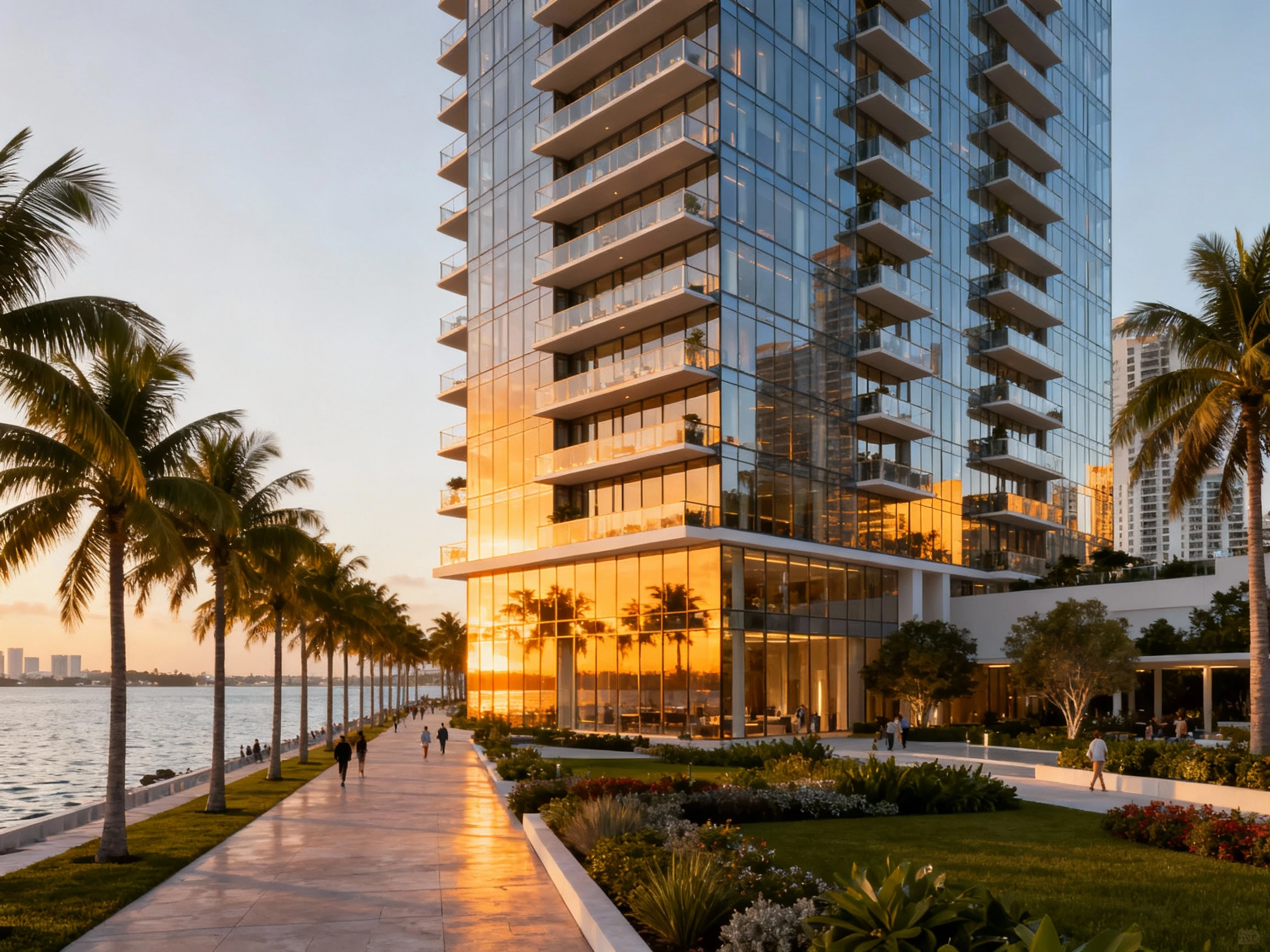
In real estate, the visual sells the dream. High-quality renderings are essential for off-plan sales of luxury condos, residential developments, and commercial properties. The goal here is to create an emotional connection with potential buyers through warm lighting, inviting atmospheres, and aspirational settings.
Scenario: Marketing a new luxury waterfront condominium.
- Recommended Model: Nano Banana Pro (for maximum photorealism and crisp details).
- Prompt:
Photorealistic exterior render of a luxury high-rise condominium tower, glass facade with generous balconies, situated on a Miami waterfront, palm trees lining the promenade, golden hour lighting creating warm reflections on the glass, 8k resolution, architectural photography, highly detailed landscaping, lifestyle atmosphere --ar 9:16
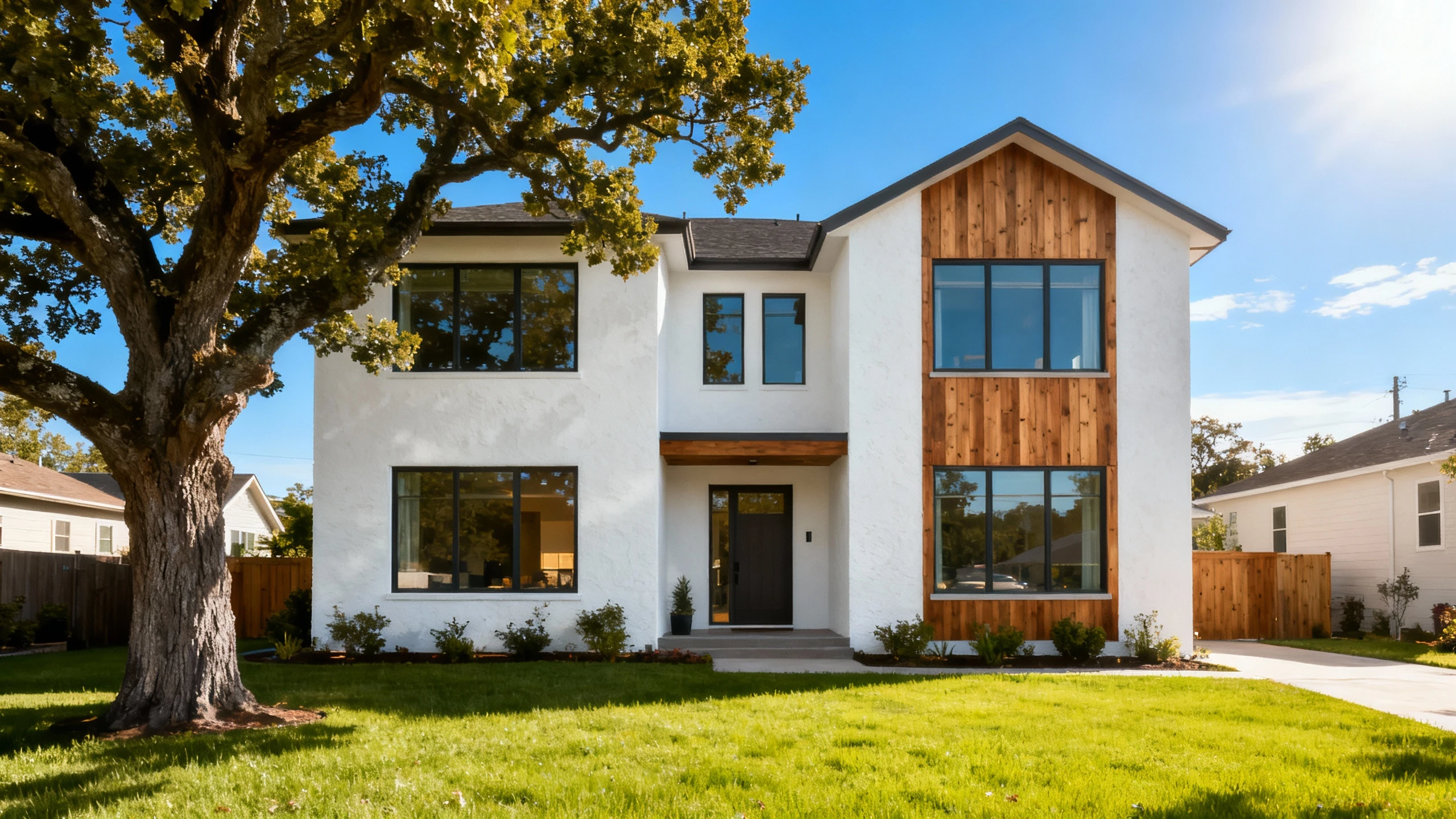
Scenario: Selling a modern suburban family home.
- Recommended Model: Nano Banana Pro.
- Prompt:
Eye-level view of a contemporary 4-bedroom suburban house, white stucco and cedar wood siding, large windows, manicured front lawn with an oak tree, bright sunny morning, blue sky, inviting atmosphere, suburban context, photorealistic 8k --ar 3:2
3.2 Architectural Presentations
For architects, communicating a design concept effectively can win or lose a client pitch or design competition. AI rendering allows for rapid iteration of "mood shots" that convey the essence of a design without needing a fully built 3D model.
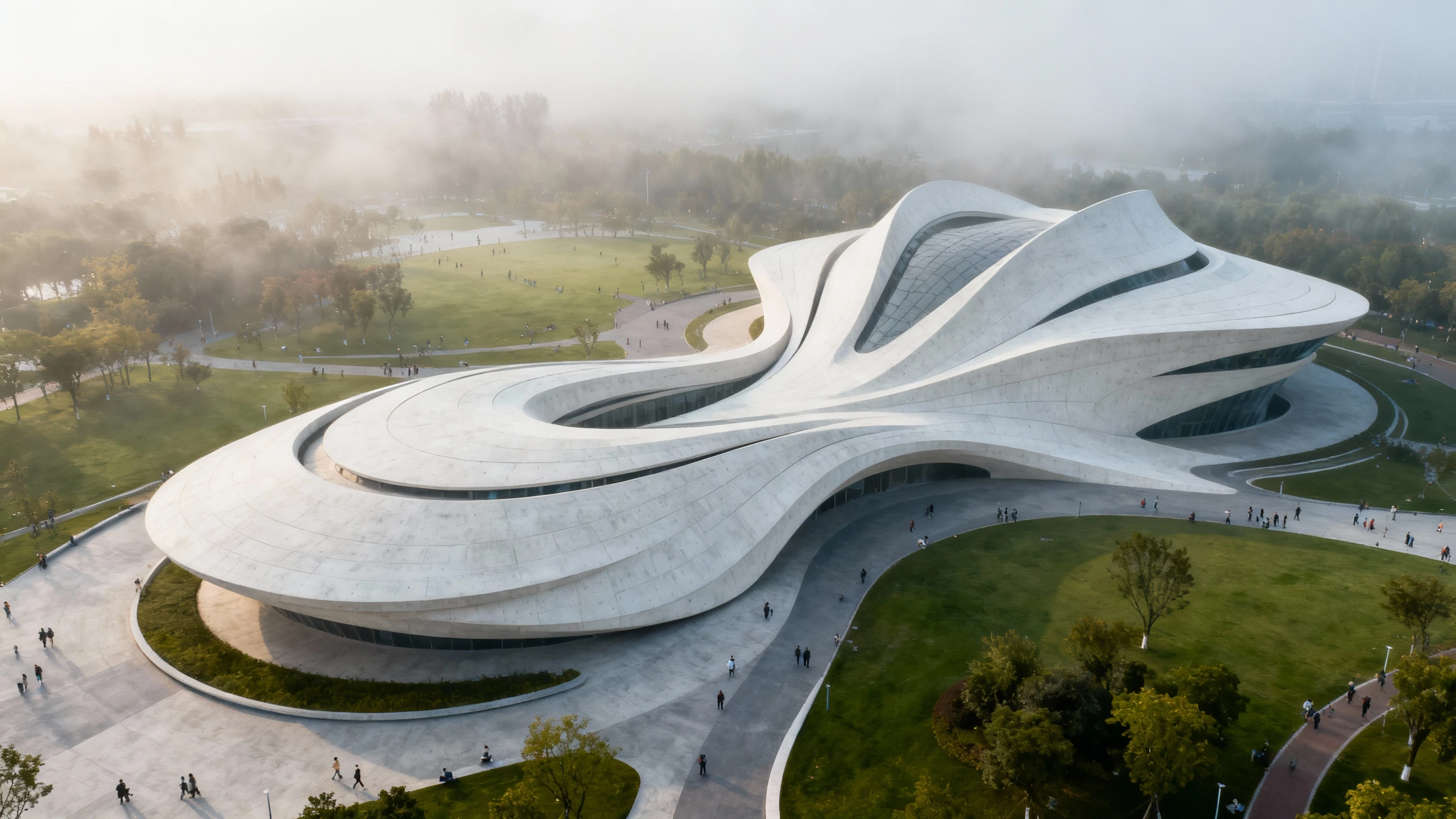
Scenario: A design competition entry for a new cultural center.
- Recommended Model: Dreamina (for a more artistic, emotive, and conceptual look).
- Prompt:
Concept rendering of a futuristic cultural center, parametric architecture inspired by Zaha Hadid, fluid white concrete forms curving into the landscape, aerial view, surrounded by a public park, misty morning atmosphere, soft diffuse light, cinematic composition, ethereal mood, 8k --ar 16:9
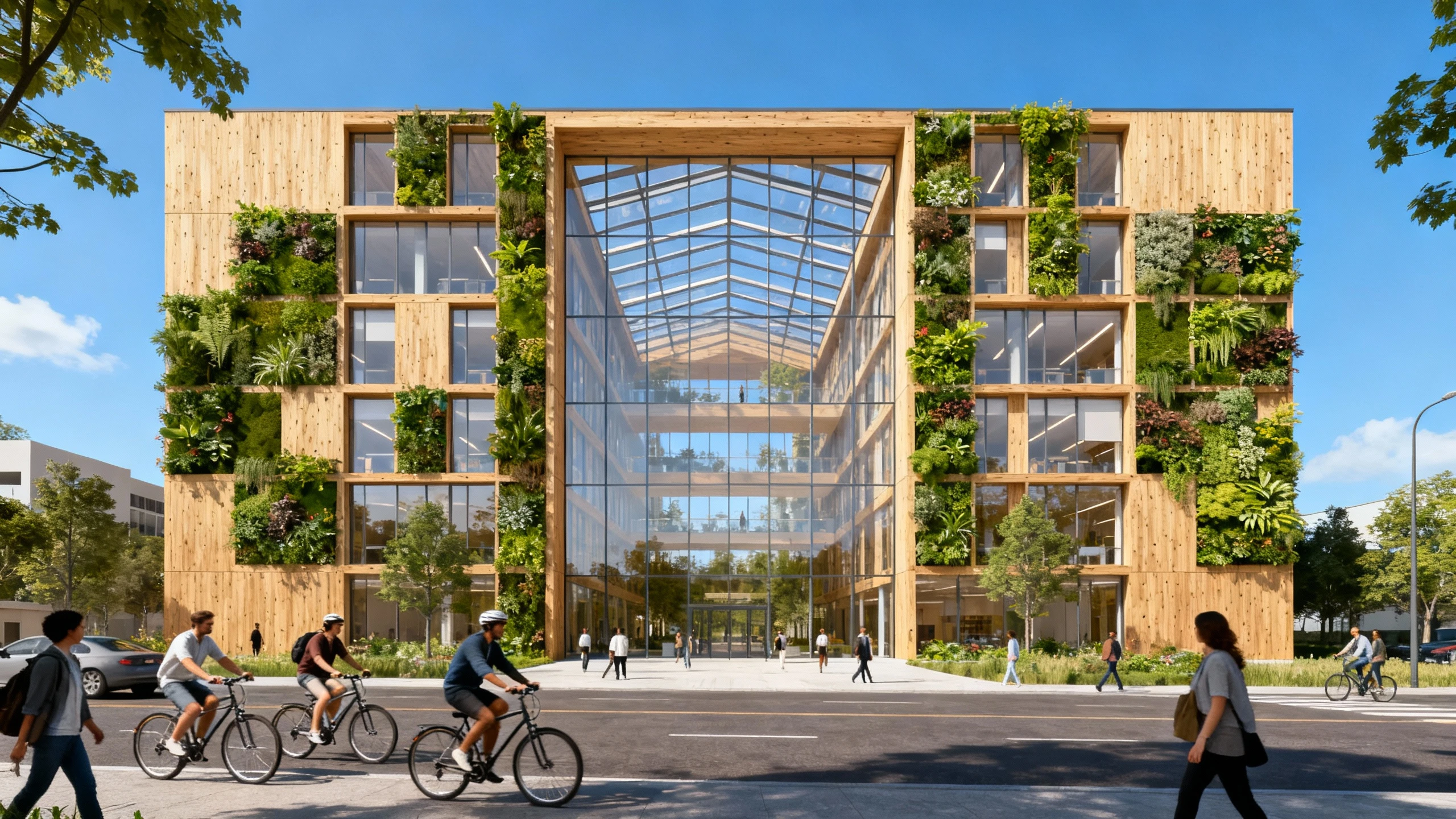
Scenario: A portfolio piece showcasing a sustainable office building.
- Recommended Model: SeeDream AI (for clean lines, architectural clarity, and modern minimalist aesthetics).
- Prompt:
Street-level perspective of a sustainable mass timber office building, biophilic design with vertical gardens on the facade, large glass atrium, cyclists and pedestrians in the foreground, bright daylight, clear blue sky, eco-friendly architecture, architectural visualization style --ar 3:2
3.3 Urban Planning & Development
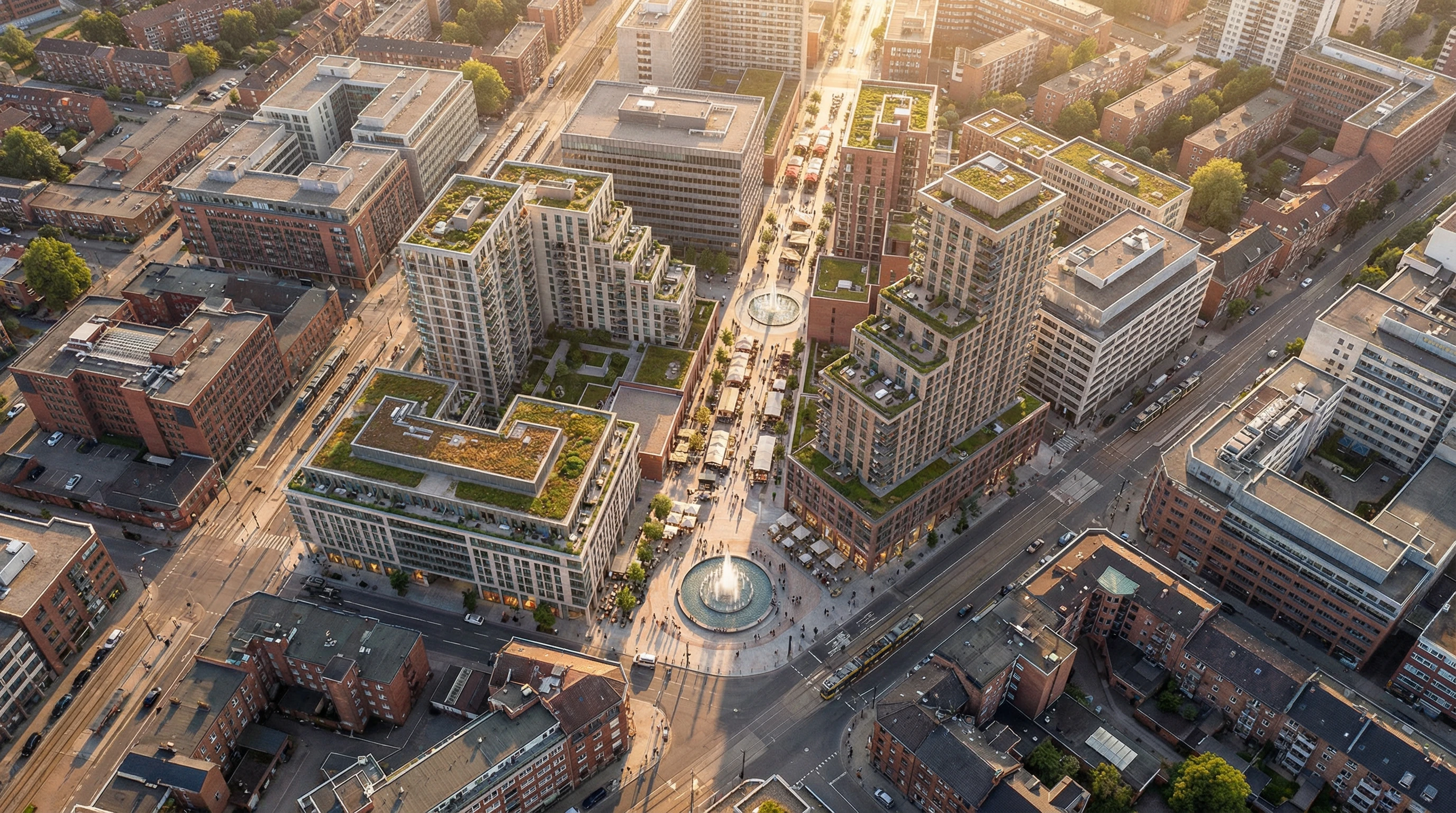
Urban planners and developers use these tools to visualize master plans, mixed-use developments, and how new structures will integrate into the existing city fabric. These renders often require aerial views and a strong sense of scale.
Scenario: Visualizing a mixed-use city block redevelopment.
- Recommended Model: Nano Banana Pro.
- Prompt:
Bird's-eye view of a mixed-use urban development, varying building heights, rooftop gardens, central pedestrian plaza with fountain, surrounded by existing city infrastructure, sunset lighting casting long shadows, realistic city texture, urban planning visualization, high detail --ar 16:9
3.4 Renovation & Before/After Concepts
Visualizing the potential of an existing structure is powerful for renovation projects and adaptive reuse. AI can help clients "see" the transformation of a facade or a modernization project.
Scenario: Converting an old brick warehouse into modern loft offices.
- Recommended Model: Nano Banana Pro.
- Prompt:
Exterior render of a renovated red brick industrial warehouse converted into modern loft offices, new black steel framed windows, modern glass extension on the roof, outdoor cafe seating in front, juxtaposition of old and new architecture, overcast soft lighting, realistic textures, 8k --ar 3:2
4. Architectural Rendering Prompt Guide
Mastering the Architectural Rendering Generator requires understanding the language of architecture as understood by AI. This guide breaks down the essential components of a successful architectural prompt.
4.1 Prompt Structure for Architecture
For the most consistent results, follow this structural formula:
[View/Camera Angle] + [Building Type & Style] + [Material Palette] + [Site/Context] + [Lighting & Weather] + [Atmosphere/Mood] + [Technical Specs]Example:
Eye-level shot + of a minimalist pavilion + concrete and glass + in a zen garden + soft dawn light + serene and peaceful + 8k, highly detailed4.2 Architectural Style Keywords
The AI recognizes a vast history of architectural styles. Use these keywords to anchor your design:
- Modern/Contemporary: Minimalist, Bauhaus, International Style, Mid-century Modern, Scandinavian, Industrial.
- Traditional/Classical: Neoclassical, Victorian, Gothic Revival, Colonial, Mediterranean, Beaux-Arts.
- Avant-Garde: Parametric (Zaha Hadid style), Deconstructivist (Frank Gehry style), Brutalist (raw concrete), Biomimetic (nature-inspired), High-tech (exposed structure).
- Vernacular: Alpine Chalet, Japanese Ryokan, Adobe, Tropical Modernism.
4.3 Material Specification
Materials dictate the realism of the render. Be specific:
- Concrete: Board-formed concrete, polished concrete, exposed aggregate, precast panels.
- Glass: Frosted glass, low-iron glass (clear), reflective curtain wall, tinted glazing, channel glass.
- Wood: Vertical cedar siding, charred timber (Shou Sugi Ban), oak slats, weathered barn wood, cross-laminated timber (CLT).
- Metals: Corten steel (rusted), brushed aluminum, copper cladding (patina), perforated metal mesh, zinc standing seam.
- Masonry: Red brick, white-washed brick, limestone, travertine, granite, gabion walls.
4.4 Lighting & Atmosphere
Lighting sets the emotional tone of the architecture:
- Golden Hour: Warm, low sun, long shadows, inviting and romantic. Best for residential.
- Blue Hour: Just after sunset, deep blue sky, interior lights glowing warm. Best for commercial/hospitality.
- Overcast/Diffused: Soft, shadowless light. Best for showing true material colors and details without harsh contrast.
- Midday/Sunny: Bright, sharp shadows, high contrast. Best for clarity and architectural form.
- Volumetric Fog: Adds depth and drama, "god rays." Best for conceptual works.
4.5 Camera Angles & Views
Direct the AI like a photographer:
- Eye-Level: The standard human experience. Grounded and realistic.
- Low Angle / Worm’s Eye: Makes the building look monumental, imposing, and impressive.
- Aerial / Bird’s Eye / Drone View: Shows the building in its wider context and roof plan.
- Detail Shot / Close-up: Focuses on a specific joint, material transition, or facade pattern.
- Interior-Exterior Shot: Looking from the outside in, or vice versa, showing the relationship between spaces.
4.6 Negative Prompts for Architecture
To ensure clean, professional results, consider adding these negative prompts:
distorted perspective, leaning buildings, melting structures, cartoon, illustration, sketch, low resolution, blurry, overexposed, watermark, text, signature, bad geometry, impossible architecture, messy landscape, construction debris
5. Architectural Rendering FAQs
Q1: Can AI rendering replace traditional 3D modeling software like 3ds Max or Rhino?
No, it complements them. Traditional software is necessary for precise geometry, construction documentation, and exact spatial planning. The Architectural Rendering Generator is best used for early concept exploration, rapid visualization, and creating atmospheric "mood" renders. It speeds up the workflow but doesn't replace the need for technical accuracy in later design stages.
Q2: How do I ensure the scale of the building looks correct?
Use keywords that imply scale, such as specifying the number of stories (e.g., "5-story apartment building"), including familiar elements like cars or people in the prompt, or using camera angles like "eye-level" to ground the structure. Advanced AI models like Nano Banana Pro (gemini-3-pro-image-preview) are trained on extensive architectural datasets and understand building proportions naturally, but adding context clues like human figures or street furniture helps establish realistic scale.
Q3: Can I add specific people or cars to the render for scale?
Yes. You can prompt for "pedestrians walking on the sidewalk," "cyclists," or "parked luxury cars." However, AI can sometimes struggle with perfect human anatomy in the background. For final high-stakes presentations, many architects prefer to generate a clean architectural base (using negative prompts for people) and then add high-quality "entourage" (people/cars) in Photoshop later.
Q4: How can I create a consistent lighting study for my project?
To create a study, keep your main prompt (building description and camera angle) identical and only change the lighting keywords. Run separate generations for "sunrise," "noon," "sunset," and "midnight." This will show your building's form under different lighting conditions while keeping the architecture relatively consistent.
Q5: Are the materials generated accurate enough for client selection?
The tool generates "representative" materials. While a prompt for "white marble" will look like white marble, it won't correspond to a specific supplier's catalog product. Use the renders to convey the intent and feel of the material palette to the client, but rely on physical samples for final specification.
Q6: What resolution should I use for large format presentation boards?
For standard digital presentations or A3/11x17 prints, the default high-resolution output is usually sufficient. For large A1/A0 presentation boards or banners, you should use the tool's upscaling feature or an external AI upscaler to increase the resolution to 4k or 8k to ensure line work remains crisp when printed at large scale.
Q7: Can I use this for zoning or planning permission visualizations?
Planning boards typically require technically accurate verifiable views (AVR) based on survey data. AI renders are generally artistic impressions. While they are excellent for showing the design intent and aesthetic impact to community groups or city councils, they may not meet the strict technical criteria for legal "verified views" unless used as an overlay on a technically modeled massing.
Q8: How do I integrate this with my CAD drawings?
You can use the "Image-to-Image" feature (if available) by uploading a screenshot of your CAD wireframe or a basic SketchUp massing model as a reference. This guides the AI to follow your specific geometry while it paints the materials, lighting, and atmosphere on top, giving you a render that matches your design lines.
Q9: Can I create a specific "style" of render, like a watercolor or sketch?
Absolutely. The Dreamina model is excellent for this. Add keywords like "watercolor architectural sketch," "pencil drawing," "blueprint style," or "oil painting" to your prompt. This is particularly useful for early-stage concept presentations where you don't want the client to think the design is final.
Q10: What are the best file formats for exporting renders?
For most uses, PNG is preferred as it is lossless and preserves high quality without compression artifacts. JPEG is suitable for web use or quick email sharing. If you plan to do heavy post-processing in Photoshop, always choose the highest quality/lowest compression option available.
Conclusion
The Architectural Rendering Generator transforms architectural visualization from a time-consuming technical process into an accessible creative exploration tool. Whether you're an architect pitching a conceptual design, a real estate developer marketing an unbuilt property, or an urban planner communicating a master plan vision, this AI-powered tool delivers professional-grade renderings in seconds. By mastering the prompt structure, material vocabulary, and lighting control outlined in this guide, you can produce imagery that rivals traditional 3D rendering workflows at a fraction of the time and cost. From photorealistic golden hour exteriors to conceptual blue hour studies, the only limit is your architectural imagination. Start generating your building visualizations today and bring your architectural visions to life.