
Free AI Marketing Material Generator - Create Ads & Banners
Generate professional marketing materials instantly with AI. Free marketing material generator powered by Nano Banana Pro and Dreamina. Create social media ads, banners, promotional graphics, and campaign visuals in seconds. Perfect for marketers and businesses.
1. What is Marketing Material Generator?
Marketing Material Generator is a specialized, enterprise-grade AI tool designed to revolutionize how digital marketers, agencies, and business owners create advertising creatives. Unlike generic image generators, this engine is purpose-built for commercial utility, integrating the capabilities of Nano Banana Pro, Dreamina, and SeeDream to produce high-converting visuals for Google Ads, Meta (Facebook/Instagram), LinkedIn, and programmatic display networks. It understands the rigorous demands of ad platforms—from strict aspect ratios (1.91:1, 4:5, 9:16) to policy compliance—empowering you to generate professional, brand-safe marketing assets in seconds rather than days. Whether you need photorealistic product placements, click-inducing social media graphics, or native-looking user-generated content (UGC), the Marketing Material Generator streamlines the production pipeline, reducing costs while exponentially increasing your creative testing velocity.
Key Features
- 🛡️ Ad-Platform Compliance & Safety: Built-in filters and aspect ratio controls ensure your creatives meet the strict policy requirements of Google Display Network (GDN) and Meta Ads Manager, minimizing disapprovals.
- ⚡ High-Velocity Iteration Engine: Rapidly generate dozens of creative variations for the same concept, fueling rigorous A/B testing strategies to find the winning visual faster.
- 📐 Omnichannel Formatting Standards: Native support for critical commercial ratios—1.91:1 (Link/Banner), 1:1 (Carousel/Feed), and 9:16 (Stories/Reels/TikTok)—allowing for instant cross-platform asset creation.
- 🎯 Brand-Aware & Consistent: Advanced prompting capabilities allow for adherence to brand color palettes, moods, and style guidelines, ensuring a cohesive visual identity across campaigns.
- 🖼️ Text-Ready Composition: Intelligently structures images with "negative space" or clean backgrounds, specifically designed to accommodate headlines, ad copy, and CTA buttons without visual clutter.
- 📈 Conversion-Optimized Aesthetics: Trained on high-performing ad creatives, the models prioritize visual clarity, focal points, and "thumb-stopping" elements that drive higher Click-Through Rates (CTR).
- 🌍 Global & Cultural Localization: Easily adapt visual styles, models, and settings to resonate with diverse international audiences, enabling hyper-localized marketing campaigns at scale.
2. How to Use Marketing Material Generator?
Creating professional, publication-ready marketing assets requires a strategic workflow. Follow these three simple steps to transform your campaign concepts into high-performance visuals.
Step 1: Describe Your Marketing Visual
The foundation of a great ad creative is a clear, descriptive prompt that focuses on the visual scene rather than the marketing copy. You are describing the image background and subject, not the text overlay.
Example Prompt:
professional commercial photography of a sleek silver laptop on a modern white desk, warm sunlight streaming through window, blurred office background, teal and orange color grading, high contrast, negative space on the right side for text overlay, 4k resolution, cinematic lighting --ar 1.91:1
💡 Marketing Material Prompt Tips:
- Specify the Subject: Be precise about the product or central figure (e.g., "organic skincare bottle," "smiling corporate professional").
- Define the Setting: Context adds relevance. Use "modern office," "summer beach," or "minimalist studio" to set the stage.
- Control the Lighting: Use keywords like "soft studio lighting," "golden hour," or "neon cyberpunk" to dictate the mood.
- Request Negative Space: Crucial for ads! Explicitly ask for "clean background on the left/right" to ensure you have room for your headline and CTA.
- Set the Style: Define if you want "photorealistic," "3D isometric illustration," "flat vector art," or "UGC style."
- Avoid Text in Prompt: Do not ask the AI to write text (e.g., "Buy Now"). AI text is often garbled. Generate the clean image first, then add text in Canva or Photoshop.
Step 2: Choose Generation Parameters
Selecting the right model and settings is critical for platform success.
🎨 AI Model Selection:
- Nano Banana Pro: The Gold Standard for Ads. Use this for Display Ads, Website Banners, and Product Photography. It offers the best adherence to complex prompts, highest photorealism, and precise control over negative space.
- Dreamina: Best for Social Engagement. Choose this for Instagram, TikTok, and Pinterest. It excels at artistic, vibrant, and highly stylized visuals that grab attention in a crowded feed.
- SeeDream: Best for Native/UGC Ads. Use this when you want images to look "amateur" or organic (like a real user photo), which often performs better on Reddit, TikTok, or Facebook Feeds by avoiding "banner blindness."
📱 Image Size & Platform Formats:
- 1.91:1 (Horizontal): Essential for Google Discovery Ads, Link Previews, and Facebook Link Posts.
- 1:1 (Square): The universal format for Instagram Feed, Facebook Carousel, and LinkedIn Posts.
- 9:16 (Vertical): Mandatory for Instagram Stories, Reels, TikTok Ads, and YouTube Shorts.
- 4:5 (Portrait): Optimized for Facebook/Instagram mobile feeds (takes up more screen real estate than square).
⚠️ Negative Prompt:
Always use a negative prompt to filter out unwanted elements.
- Recommended: "text, watermark, signature, blurred, distorted, low quality, ugly, messy, overexposed, grainy, extra limbs."
Step 3: Generate & Launch Campaigns
Once you hit generate, the AI produces a batch of options. Your workflow continues:
- Review & Select: Choose the images that best align with your brand voice and have clear focal points.
- Download High-Res: Save the chosen creatives. If aiming for print or large displays, use the Upscale tool to boost resolution to 4K.
- A/B Test Preparation: Download 3-5 variations of the same prompt (e.g., different angles or lighting) to test which one drives lower CPC (Cost Per Click).
- Add Copy & CTA: Import the image into your design tool (Canva/Figma) to overlay your "Shop Now" button and value proposition.
- Check Policies: Ensure the final image complies with ad network policies (no nudity, excessive skin, or misleading visuals).
- Scale Winners: Once you identify a high-performing visual style, use the "Image-to-Image" or similar prompt structure to generate dozens of fresh iterations to combat ad fatigue.
3. Marketing Material Generator Use Cases & Example Prompts
3.1 Social Media Advertising
📱 Instagram & Facebook Ads
Use Cases: Feed posts, carousel ads, Story ads, Reels promotions, lead generation campaigns
Prompt Example:
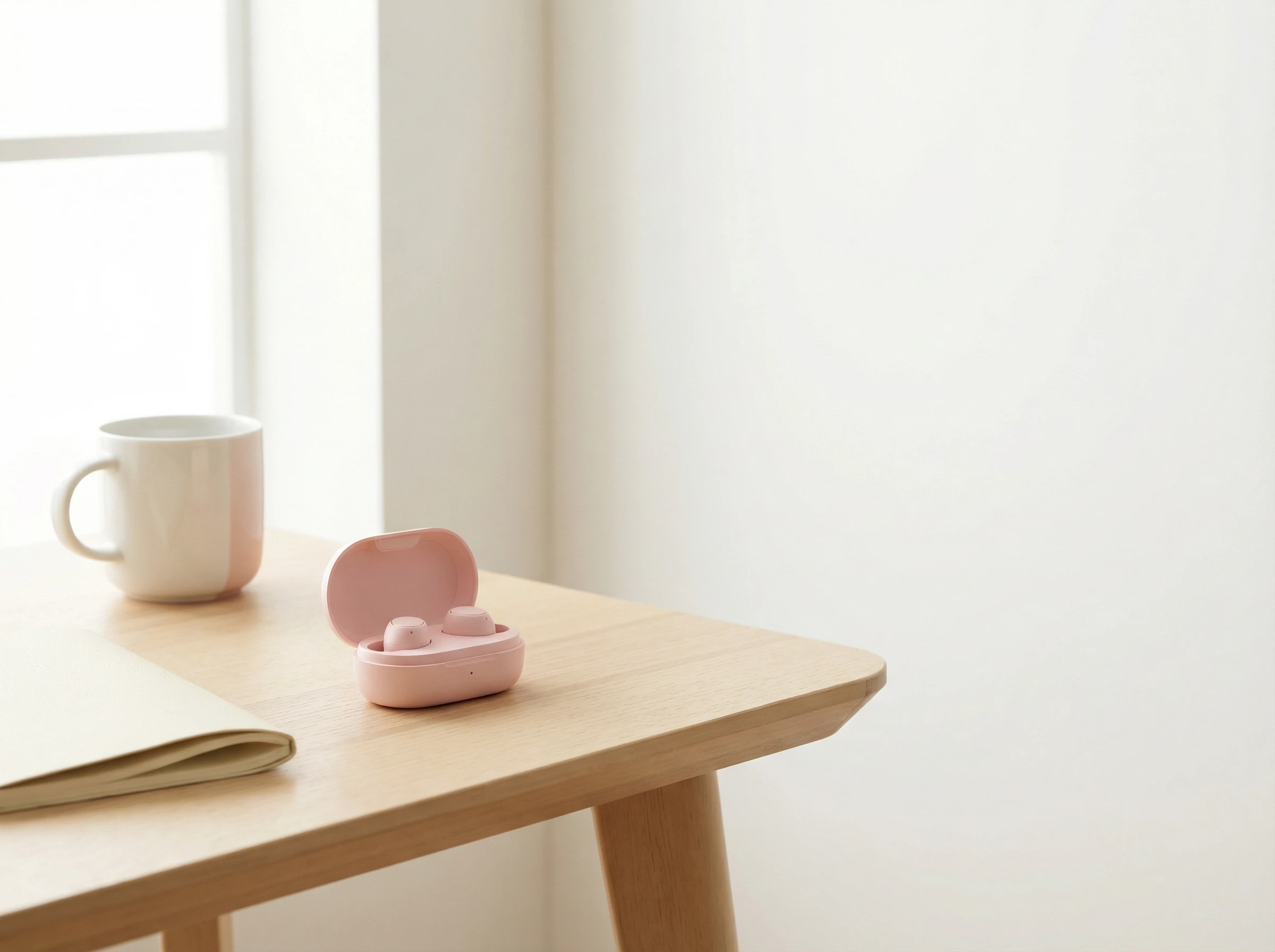
Lifestyle product photography of wireless earbuds on modern minimalist desk,
soft natural window light, warm aesthetic, pastel pink and white color palette,
negative space on right side for headline text, high quality commercial shot,
Instagram-ready, bright and clean --ar 4:5
Key Points: High saturation, lifestyle context, authentic feel, mobile-optimized vertical formats
Recommended Model: 🌟 Dreamina for vibrant, scroll-stopping social media visuals
💼 LinkedIn Sponsored Content
Use Cases: B2B lead generation, thought leadership campaigns, recruitment ads, company updates
Prompt Example:
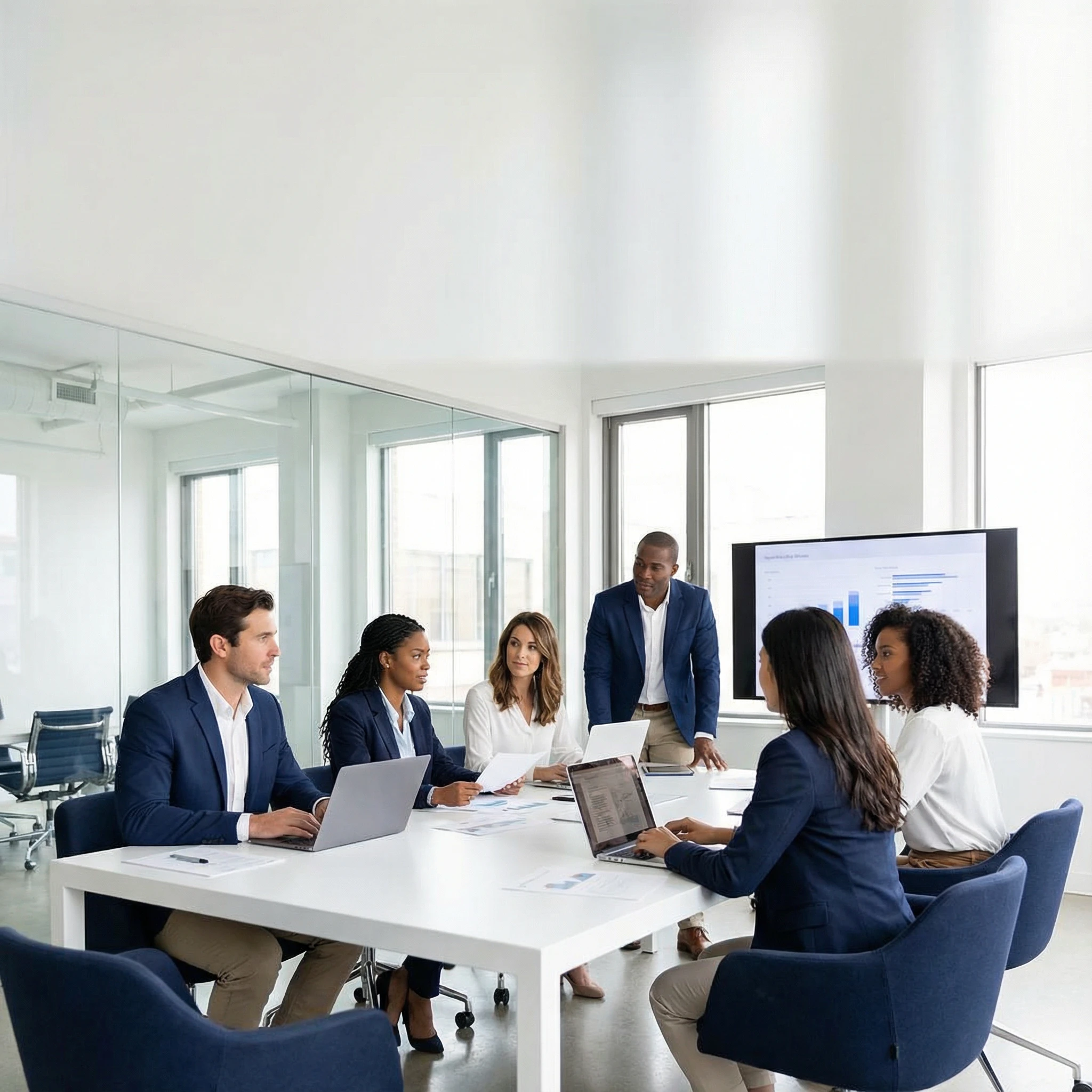
Professional business meeting in modern office, diverse team collaborating,
natural corporate environment, navy blue and white color scheme,
clean professional photography, negative space top third for headline,
high-end commercial quality --ar 1:1
Key Points: Professional aesthetics, corporate-appropriate, trustworthy visuals, clean composition
Recommended Model: 🌟 Nano Banana Pro for polished B2B advertising
🎵 TikTok & Short-Form Video Ads
Use Cases: Product launches, trend-jacking campaigns, UGC-style ads, brand awareness
Prompt Example:
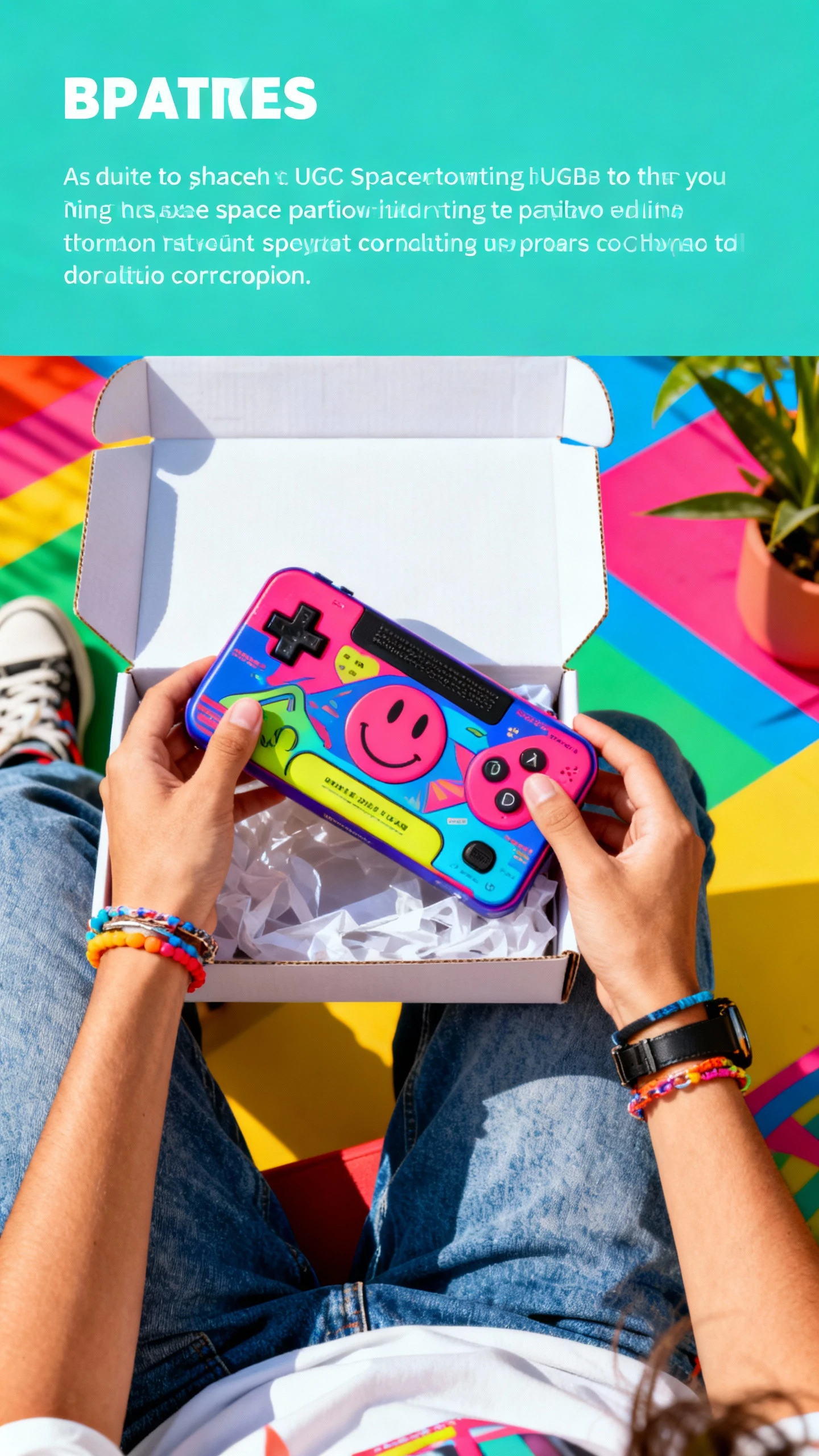
Authentic POV shot of hands unboxing trendy product,
bright colorful background, energetic vibe, Gen Z aesthetic,
natural lighting, UGC style photography, vertical format,
space at top for text overlay --ar 9:16
Key Points: Authentic/UGC feel, high energy, trend-aware, vertical-first composition
Recommended Model: 🎨 SeeDream for organic, native-looking UGC-style content
3.2 Display & Banner Ads
🖥️ Google Display Network (GDN)
Use Cases: Retargeting campaigns, awareness campaigns, lead generation, e-commerce product ads
Prompt Example:
Minimalist product showcase, laptop floating on gradient blue background,
clean modern aesthetic, vast negative space on left half,
studio lighting, professional commercial photography,
high contrast, suitable for banner ad --ar 1.91:1
Key Points: Critical - No overlaid text/buttons, clean composition, proper aspect ratios (1.91:1, 1:1, 9:16)
Recommended Model: 🌟 Nano Banana Pro for GDN compliance and precision
🌐 Website Banners & Hero Images
Use Cases: Homepage headers, landing page heroes, promotional banners, seasonal campaigns
Prompt Example:
Hero banner image, modern workspace with laptop showing dashboard,
wide angle, cinematic lighting, professional tech aesthetic,
negative space center-right for CTA button placement,
2560x1440 resolution, web-optimized --ar 16:9
Key Points: Wide format, clear focal point, space for overlays, web-optimized file size
Recommended Model: 🌟 Nano Banana Pro for high-resolution web assets
📲 Retargeting & Programmatic Ads
Use Cases: Cart abandonment, cross-sell campaigns, brand reminder ads
Prompt Example:
Product still life on clean background, commercial product photography,
centered composition, studio lighting, white background,
high quality e-commerce shot, square format for multi-platform --ar 1:1
Key Points: Product-focused, clean backgrounds, multiple format variations
Recommended Model: 🌟 Nano Banana Pro for product-centric retargeting
3.3 E-commerce Promotions
🛍️ Product Launch Graphics
Use Cases: New product announcements, pre-order campaigns, exclusive drops
Prompt Example:
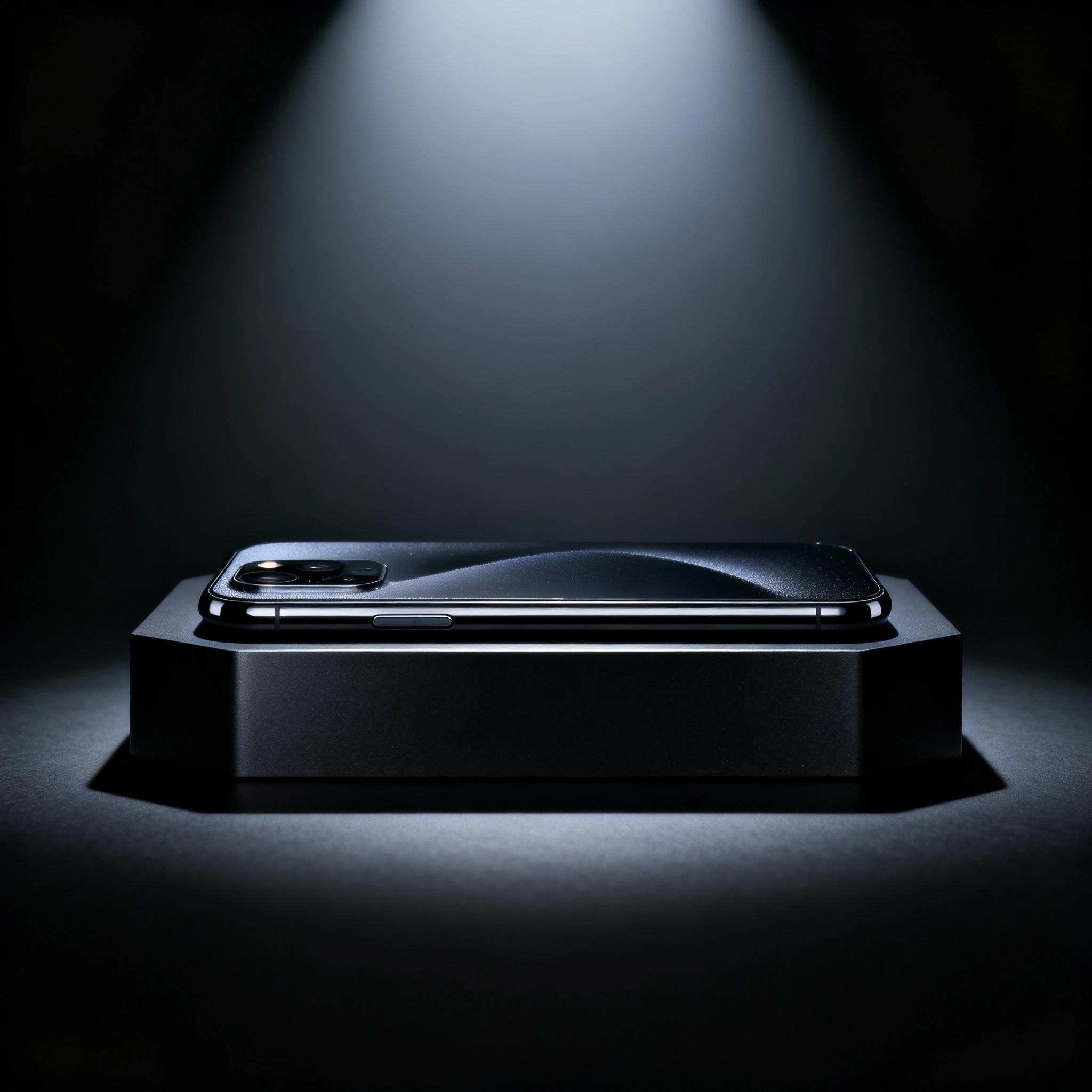
Dramatic product reveal, new smartphone on premium display pedestal,
spotlight lighting, dark background with subtle gradient,
high-end tech product photography, premium aesthetic,
negative space top for "NEW" badge --ar 1:1
Key Points: Premium feel, attention-grabbing, product as hero, launch-worthy quality
Recommended Model: 🌟 Nano Banana Pro for premium product launches
🎁 Seasonal Sale Campaigns
Use Cases: Black Friday, holiday sales, flash sales, clearance events
Prompt Example:
Festive holiday shopping scene, gift boxes with ribbons,
warm cozy lighting, seasonal red and gold colors,
joyful celebratory mood, lifestyle product photography,
space for sale percentage text overlay --ar 4:5
Key Points: Seasonal themes, urgency/excitement, lifestyle context, promotional aesthetic
Recommended Model: ✨ Dreamina for vibrant, energetic sale campaigns
💰 Limited-Time Offers
Use Cases: Flash sales, countdown promotions, exclusive deals
Prompt Example:
Urgent dynamic composition, product with motion blur or energy effect,
vibrant colors, high contrast, attention-grabbing,
commercial advertising style, space for countdown timer,
fast-paced energetic feel --ar 9:16
Key Points: Urgency, high energy, clear focal point, action-oriented
Recommended Model: ✨ Dreamina for high-impact urgency campaigns
3.4 Print Marketing Materials
📄 Flyers & Brochures
Use Cases: Event promotions, service offerings, local business marketing
Prompt Example:
Professional lifestyle image for health spa brochure,
serene calming environment, soft natural lighting,
earth tones and pastels, high-resolution print quality,
clean composition with negative space for text blocks --ar 2:3
Key Points: High resolution (4K), print-appropriate colors, ample text space
Recommended Model: 🌟 Nano Banana Pro for print-quality resolution
🎪 Event Posters
Use Cases: Concerts, conferences, community events, trade shows
Prompt Example:
Bold eye-catching visual for music festival poster,
energetic vibrant colors, crowd atmosphere, dynamic composition,
large-scale print suitable design, high contrast,
space at top for event title --ar 2:3
Key Points: Bold visuals, distance readability, print resolution, poster-appropriate composition
Recommended Model: ✨ Dreamina for bold, attention-grabbing posters
📰 Magazine & Print Ads
Use Cases: Magazine spreads, newspaper ads, catalog photography
Prompt Example:
Editorial-style product photography for luxury magazine ad,
sophisticated high-end aesthetic, dramatic lighting,
premium brand feel, print-quality 4K resolution,
minimal negative space for elegant typography --ar 4:5
Key Points: Editorial quality, sophisticated aesthetics, CMYK-appropriate, premium feel
Recommended Model: 🎨 SeeDream for sophisticated editorial-style ads
4. Marketing Material Prompt Writing Guide
4.1 Marketing Prompt Structure
Recommended Format:
[Subject/Product] + [Setting/Context] + [Lighting/Mood] + [Composition/Space] + [Style/Quality] + [Format/Specs]Example Breakdown:
"Wireless headphones" (Subject)
"on modern minimalist desk with laptop" (Setting)
"soft natural window light, warm afternoon glow" (Lighting)
"negative space on right third for headline text" (Composition)
"commercial product photography, high quality, clean aesthetic" (Style)
"1:1 square format, Instagram-ready" (Format)
4.2 Platform-Specific Requirements
Google Ads Image Requirements:
DO Include:
- Clean, uncluttered product/subject focus
- High-quality photography (minimum 1200x1200)
- Appropriate negative space for text
- Compliant aspect ratios: 1.91:1, 1:1, 4:5, 9:16
- Professional lighting and composition

DO NOT Include:
- Overlaid promotional text ("SALE!", "50% OFF")
- Buttons or CTAs in the image
- Watermarks or excessive logos
- Borders or frames around image
- Adult content or misleading imagery
- File size over 5MB
Prompt Tip for Google Compliance: Add negative prompt:
promotional text overlay, sale badge, CTA button, watermark, border, frameFacebook/Instagram Ad Best Practices:
- Text Overlay Rule: While Facebook removed the 20% text rule, images with less text still perform better
- Mobile-First: 65% of ad views are mobile - prioritize vertical (4:5, 9:16) formats
- Authentic > Polished: UGC-style, authentic photos often outperform overly polished studio shots
- Faces Drive Engagement: Images with human faces typically achieve 38% higher engagement
Prompt Strategy:
"Generate image WITHOUT text - clean product/lifestyle shot with
negative space for separate text overlay in Canva/Photoshop"
LinkedIn Ad Guidelines:
- Professional, business-appropriate imagery
- Corporate color schemes (blues, grays, professional tones)
- Authentic business settings (offices, meetings, workspaces)
- Diverse, professional representations
- Avoid overly casual or consumer-focused aesthetics
4.3 Avoiding Banner Blindness
What is Banner Blindness? Users unconsciously ignore content that looks like traditional ads.
Strategies to Combat:
1. Native/UGC Style
Prompt: "Authentic smartphone photo of product in real home environment,
natural lighting, slightly imperfect composition, UGC style,
Instagram story aesthetic, genuine user photo feel"

Model: SeeDream (best for organic look)
2. Editorial Quality
Prompt: "Magazine editorial photography, artistic composition,
storytelling visual, sophisticated aesthetic,
looks like content not advertisement"

Model: SeeDream or Nano Banana Pro
3. Scroll-Stopping Elements
- Unexpected angles or perspectives
- Bold colors that contrast with platform UI
- Human faces making eye contact
- Motion or dynamic energy
- Pattern interrupts (unusual compositions)
4.4 Common Mistakes & Optimization
❌ Poor Example: "ad for running shoes"
✅ Optimized: "Athletic running shoes in dynamic action shot, runner's feet mid-stride on urban street, motion blur background, golden hour lighting, energetic mood, Nike-style commercial photography, negative space top right for headline, 4:5 vertical format"
❌ Poor Example: "make a Facebook ad image"
✅ Optimized: "Lifestyle product shot of coffee mug held in hands, cozy home setting, warm morning light through window, Instagram aesthetic, authentic UGC style, negative space above mug for text overlay, 1080x1350 format"
Optimization Checklist:
- ✓ Specify exact product/subject
- ✓ Define setting and context
- ✓ Control lighting and mood
- ✓ Request negative space for text
- ✓ Define visual style/aesthetic
- ✓ Specify aspect ratio/format
- ✓ Use negative prompts for compliance
4.5 Negative Prompts for Marketing Compliance
Purpose: Ensure ad platform approval and professional quality
Universal Marketing Negative Prompt:
text overlay, promotional text, sale badge, discount percentage,
"BUY NOW" button, CTA button, watermark, logo overlay,
border, frame, signature, low quality, blurry, distorted,
nsfw, inappropriate content, misleading imagery,
cluttered, messy background, amateur photography
Platform-Specific Additions:
Google Ads:
additional: before-after comparison (for certain categories),
exaggerated claims visualization, fake UI elements
Facebook/Instagram:
additional: shocking imagery, sensational content,
health claims visualization (for supplements/medical)
LinkedIn:
additional: casual clothing, party scenes, unprofessional settings,
overly consumer-focused imagery
5. Marketing Material Generator FAQs
Q1: Can I use AI-generated images for commercial advertising?
A: Yes, images generated with our platform can be used commercially:
Allowed Uses:
- Paid advertising campaigns (Google, Meta, LinkedIn, TikTok)
- Social media marketing and organic posts
- Website and landing page assets
- Email marketing and newsletters
- Print advertising and brochures
- Digital and outdoor billboards
Requirements:
- Review platform-specific commercial license terms
- Pro/Business plans typically include full commercial rights
- Ensure compliance with advertising platform policies
- No additional royalties or attribution required (check your plan)
Best Practice: Always verify that generated images comply with the specific ad platform's content policies before launching campaigns.
Q2: How do I ensure my ads comply with Google and Facebook policies?
A: Follow these compliance strategies:
Google Ads Compliance:
✅ DO:
- Generate clean product/lifestyle images without overlaid text
- Use proper aspect ratios (1.91:1, 1:1, 9:16)
- Ensure images are high quality (minimum 1200x1200)
- Show accurate product representation
- Keep file sizes under 5MB
❌ DON'T:
- Include promotional text in image ("SALE!", "50% OFF")
- Add fake buttons or CTAs
- Use borders or frames
- Include before/after for certain sensitive categories
- Use misleading or sensational imagery
Facebook/Instagram Compliance:
✅ DO:
- Create authentic, non-salesy visuals
- Use diverse, realistic representations
- Ensure images are relevant to ad copy
- Test multiple creative variations
❌ DON'T:
- Show shocking or sensational content
- Imply unrealistic results (especially health/finance)
- Use low-quality or pixelated images
- Include excessive text in image (although 20% rule removed, less text performs better)
Prompt Strategy: Use negative prompts like
promotional text, sale badge, button, watermark, border, misleading contentQ3: Should I add text to images or keep them clean for separate overlays?
A: Keep images clean, add text separately. Here's why:
Best Practice: Generate Clean + Add Text in Design Tool
Advantages:
- ✓ Greater flexibility to A/B test different headlines
- ✓ Easy localization for international campaigns
- ✓ Better platform compliance (avoid text density issues)
- ✓ Cleaner, more professional appearance
- ✓ Easier to update messaging without regenerating image
- ✓ Precise typography control
Workflow:
- Generate image with negative space for text placement
- Download high-res image
- Add headlines, CTAs, and copy in Canva/Figma/Photoshop
- Export final ad creative
When to Use AI Text Rendering (Nano Banana Pro):
- Brand logos or product labels within the scene
- Menu boards or signage in lifestyle shots
- Product packaging text
- Decorative text as part of the visual design
Q4: How do I create multiple ad variations for A/B testing?
A: Efficient A/B testing strategies:
Method 1: Batch Generation
Generate 4-6 variations in one session:
- Same product, different angles
- Same composition, different lighting
- Same setting, different color grading
- Same concept, different backgrounds
Method 2: Systematic Variable Testing
Test one variable at a time:
Round 1 - Background:
- White background
- Lifestyle setting
- Outdoor environment
- Abstract gradient
Round 2 - Mood (using winner from Round 1):
- Bright and energetic
- Warm and cozy
- Cool and professional
- Dramatic and bold
Round 3 - Composition (using winners):
- Product centered
- Product left-aligned
- Lifestyle with product
- Close-up product detail
Method 3: Prompt Templates
Create template with variables:
Base: "[Product] in [Setting], [Lighting], [Mood],
negative space [Position], [Style], --ar [Ratio]"

Variation A: "Laptop in modern office, soft natural light,
professional mood, negative space right, clean corporate, --ar 1.91:1"

Variation B: "Laptop in coffee shop, warm golden hour,
relaxed mood, negative space top, lifestyle aesthetic, --ar 1:1"
Q5: Which AI model should I use for different ad types?
A: Model selection guide:
Nano Banana Pro - Use When:
- Creating product-focused ads
- Need maximum image quality and detail
- Generating for Google Display Network
- B2B LinkedIn advertising
- Premium brand campaigns
- Print advertising (needs 4K)
- Ads requiring text elements (product labels)
Dreamina - Use When:
- Social media advertising (Instagram, TikTok)
- Youth/Gen Z targeting
- Fashion and lifestyle brands
- Vibrant, energetic campaigns
- Fast iteration needed
- Trend-focused creative
SeeDream - Use When:
- UGC-style advertising
- Avoiding banner blindness
- Reddit or forum advertising
- Authentic, organic aesthetic
- Conservative/traditional brands
- Content that should blend with feeds
Q6: How do I optimize file sizes for ad platforms without losing quality?
A: File size optimization strategies:
Ad Platform Limits:
- Google Ads: 5MB maximum
- Facebook/Instagram: 30MB max (recommended <8MB for fast loading)
- LinkedIn: 5MB maximum
- TikTok: 500KB-10MB
Optimization Workflow:
- Generate at appropriate resolution:
- Social media: 1080x1080 or 1080x1920 (sufficient)
- Display ads: 1200x628 or 2560x1440
- Print: 4K (3840x2160)
- Choose right format:
- JPG: Smaller file size, good for photos (use 80-90% quality)
- PNG: Larger size, better for graphics with text
- WebP: Best compression with quality (not universally supported)
- Compression tools:
- TinyPNG (online)
- ImageOptim (Mac)
- Squoosh (Google, online)
- Export from Photoshop with "Save for Web"
- Balance:
- 1200x1200 JPG at 85% quality ≈ 200-400KB
- Perfect for most ad platforms
- Minimal visible quality loss
Q7: How do I prevent ad fatigue with creative rotation?
A: Creative refresh strategies:
Ad Fatigue Signs:
- CTR drops over time (typically after 2-4 weeks)
- Frequency increases (same users seeing ad repeatedly)
- Cost per action (CPA) increases
- Engagement metrics decline
Prevention Strategies:
1. Plan Creative Rotation:
- Launch with 3-5 creative variations
- Monitor performance weekly
- Retire poorest performers after 2 weeks
- Introduce 2-3 new creatives to replace
2. Use Consistent Prompt Structure:
Winning formula: "Product on desk, natural light,
minimalist, negative space right, 1:1"

Refresh variations:
- Change desk type (wood → marble → metal)
- Adjust lighting (morning → afternoon → evening)
- Vary props (coffee cup → plant → notebook)
- Modify angles (straight → 45° → overhead)
3. Seasonal Updates:
- Refresh backgrounds for seasons/holidays
- Update color palettes (warm summer → cool winter)
- Add seasonal props or context
- Maintain core message consistency
4. Performance-Based Generation:
- Identify winning visual elements
- Generate variations that amplify those elements
- Test incremental changes, not complete redesigns
- Scale winners, iterate losers
Q8: Can I localize ads for different markets with AI?
A: Yes, effective localization strategies:
Visual Localization:
US Market:
"Modern American home interior, diverse family,
US cultural context, lifestyle photography"

Japanese Market:
"Contemporary Japanese apartment, Japanese family,
minimalist aesthetic, Tokyo urban setting"

European Market:
"European cafe setting, diverse European models,
old-world charm with modern touches"
Cultural Adaptation:
- Adjust color symbolism (red = good luck in China, danger in West)
- Modify settings (apartments vs houses, urban vs suburban)
- Change model demographics and styling
- Adapt lifestyle contexts and activities
Workflow:
- Create master creative concept
- Generate localized versions for each market
- Have native speakers review for cultural appropriateness
- Test performance across markets
- Optimize based on regional data
Q9: How do I create ads that convert without looking like ads?
A: Native advertising strategies:
1. UGC-Style Creative
Prompt: "Authentic smartphone photo, natural home lighting,
slightly imperfect composition, real person using product,
organic Instagram story feel, genuine user content style"

Model: SeeDream
Why it works: Blends with organic content, higher trust, avoids banner blindness
2. Editorial/Content Style
Prompt: "Magazine editorial photography, storytelling composition,
artistic lighting, sophisticated aesthetic, looks like article content"

Model: SeeDream or Nano Banana Pro
Why it works: Provides value first, sells second; users engage with content
3. Educational/Tutorial Style
Prompt: "How-to tutorial visual, clear instructional layout,
helpful informative aesthetic, educational content feel"

Model: Nano Banana Pro
Why it works: Solves problems, builds trust, soft-sell approach
Key Principles:
- Provide value before asking for action
- Look like content users want to consume
- Avoid aggressive sales aesthetics
- Tell stories, don't just show products
- Build trust through authenticity
Q10: What's the difference between generating for digital vs print campaigns?
A: Key differences and specifications:
Digital Advertising:
Resolution: 1080-2560px (width)
File Format: JPG (optimized), WebP
File Size: Under 5MB (under 1MB ideal)
Color Mode: RGB
Aspect Ratios: 1.91:1, 1:1, 4:5, 9:16
Viewing Distance: Arms length (mobile/desktop)
Refresh Rate: High (change creatives monthly)
Prompt Strategy: "High-quality digital photography, RGB colors, web-optimized, 1080p resolution, vibrant colors"
Print Advertising:
Resolution: 4K (3840x2160) minimum, 300 DPI at final size
File Format: PNG (lossless), TIFF for professional printing
File Size: No strict limit (quality priority)
Color Mode: CMYK (convert from RGB after generation)
Aspect Ratios: Custom based on print dimensions
Viewing Distance: Variable (poster: 10ft+, magazine: 12-18in)
Refresh Rate: Low (seasonal or campaign-based)
Prompt Strategy: "Ultra high-resolution photography, 4K quality, print-ready, maximum detail, professional commercial photography"
Key Considerations:
For Print:
- Always generate at 4K using Nano Banana Pro
- Use "Upscale" feature for maximum resolution
- Request higher contrast and bolder visuals (viewing distance)
- Test CMYK conversion (colors may shift)
- Add bleed area (0.125" typically) in design tool
- Proof with printer before full run
For Digital:
- Optimize for mobile viewing (60-70% of traffic)
- Ensure fast loading (under 1MB ideal)
- Test across devices and screen sizes
- Higher refresh rate (update monthly)
- A/B test extensively
Ready to supercharge your marketing campaigns? Start creating high-converting, platform-compliant marketing materials with Nano Banana Pro, Dreamina, and SeeDream today. Transform your advertising creative process from days to seconds!