
Free AI Product Mockup Generator - Create Realistic Product Mockups
Generate professional product mockups instantly with AI. Free product mockup generator powered by Nano Banana Pro and SeeDream. Create realistic packaging, apparel, and e-commerce product presentations in seconds. Perfect for online stores and marketing.
1. What is Product Mockup Generator?
A product mockup generator creates realistic, professional product presentations using AI technology. Powered by Nano Banana Pro (Gemini 3 Pro Image) and SeeDream, instantly visualize your designs on real-world products—from packaging and apparel to devices and print materials. Simply describe your product scene or upload your design, and AI generates photo-realistic mockups in seconds. Perfect for e-commerce listings, client presentations, marketing campaigns, and product launches.
Key Features:
- 📦 Versatile Product Types: Generate mockups for packaging, apparel, devices, books, signage, and more
- 🚀 Instant Generation: Create professional mockups from text in 10-15 seconds
- 💎 Photorealistic Quality: Ultra-high resolution up to 4K with Nano Banana Pro for print-ready results
- 🆓 Free Daily Credits: Generate product mockups daily at no cost
- 🎨 Multiple Angles & Contexts: Create lifestyle shots, flat lays, and contextual scenes
- 🔄 Quick Variations: Generate color variants and different product angles instantly
- ✅ E-commerce Ready: Outputs comply with major platform requirements (Google Shopping, Amazon, Etsy)
2. How to Use Product Mockup Generator with Nano Banana Pro?
Create professional product mockups in 3 simple steps:
Step 1: Describe Your Product Scene (Text Prompt)
Enter your product mockup concept in the text box. Include the product type, presentation style, context, and visual details for best results.
Example:
"White ceramic coffee mug on wooden table, morning light from window,
steam rising from hot coffee, cozy kitchen background, product photography,
high-quality e-commerce shot"
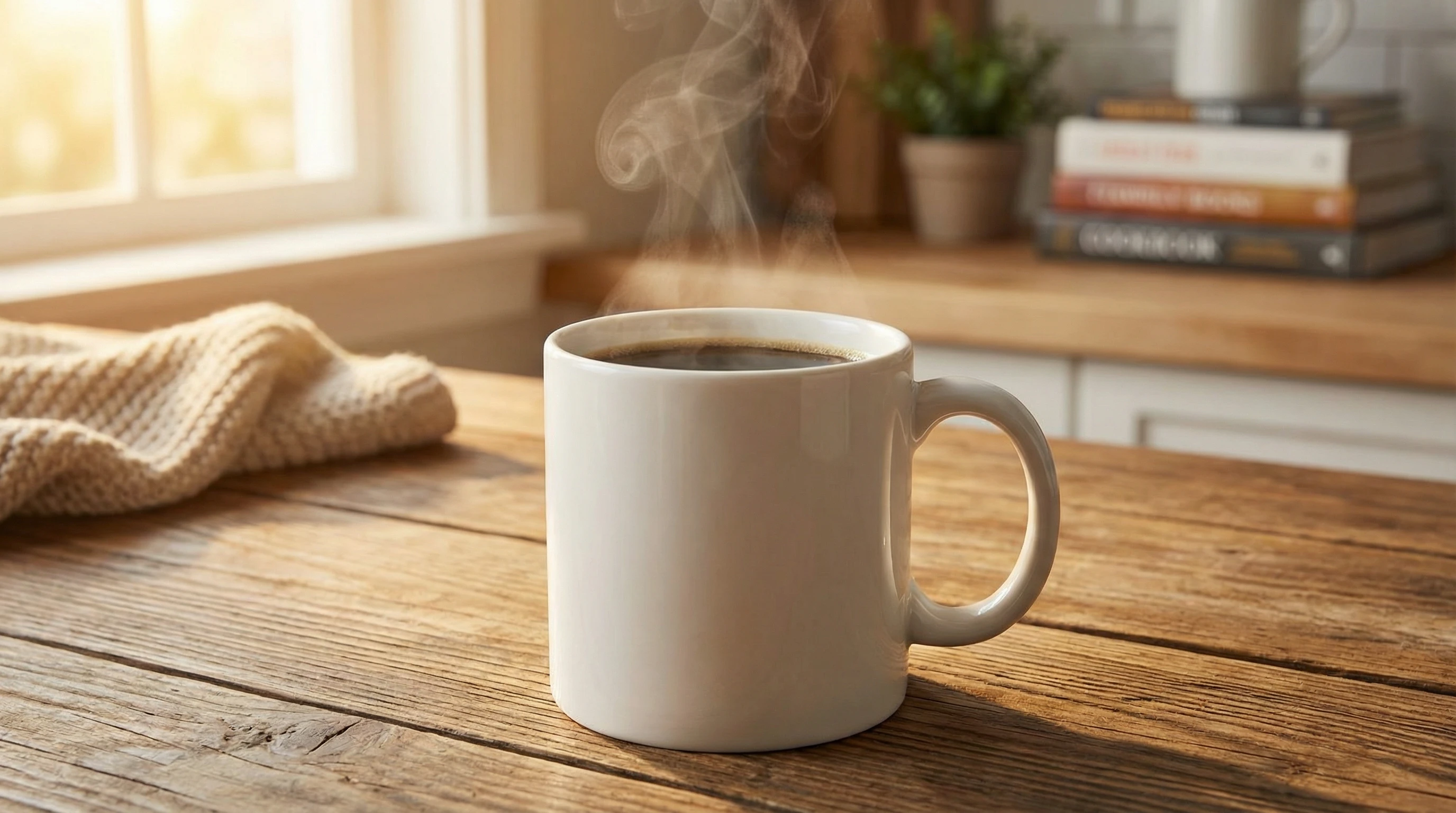
💡 Product Mockup Prompt Writing Tips:
- Specify the product type (e.g., t-shirt, coffee mug, phone case, packaging box)
- Describe the presentation style (e.g., flat lay, lifestyle shot, hand-held, on model)
- Define the context and background (e.g., minimal white background, natural outdoor setting, desk workspace)
- Include lighting details (e.g., soft natural light, studio lighting, golden hour glow)
- Add quality indicators (e.g., product photography, commercial quality, high-resolution)
- Mention camera angle if important (e.g., top-down view, 45-degree angle, close-up)
Step 2: Choose Generation Parameters
Customize your generation settings:
- 🎨 AI Model Selection: Choose the right model for your mockup style
- Nano Banana Pro: Best for 4K ultra-high-resolution mockups, professional e-commerce shots, and products with text/labels. Maximum photorealism and detail.
- SeeDream: Ideal for artistic product photography with painterly backgrounds or creative lifestyle shots. Great for brand storytelling imagery.
- Dreamina: Perfect for modern product presentations with vibrant colors and clean digital aesthetics. Fast generation for social media content.
- 📱 Image Size: Choose resolution based on your use case
- E-commerce: 2048×2048 or 2560×1440 (high-quality product shots)
- Print Catalogs: 4K (3840×2160 or 4096×4096)
- Social Media: 1080×1080 (Instagram), 1080×1920 (Stories)
- Website Hero: 2560×1440 (16:9 landscape)
- 🎲 Generation Quantity: Generate 1-4 mockup variations at once
- ⚠️ Negative Prompt (optional): Exclude unwanted elements like watermarks, logos, text overlays, or cluttered backgrounds
💡 Note: For e-commerce compliance, avoid generating images with promotional text, watermarks, or borders baked into the mockup. Keep product as the clear focal point.
Step 3: Generate & Refine Your Mockups
Click "Generate Mockup" and AI creates your product visualization in 10-20 seconds (time varies by resolution and complexity).
After generation, you can:
- 📥 Download High-Res: Save as PNG/JPG for e-commerce platforms, presentations, or print
- ✏️ Create Variations: Adjust parameters and regenerate for different angles or contexts
- 🎨 Change Colors: Generate the same mockup in different product colors for variant listings
- 🔄 Multiple Angles: Create front, back, side, and detail shots for complete product presentations
- 📸 Lifestyle Contexts: Generate both studio shots and lifestyle/in-use scenes
- 🔗 Batch Processing: Create mockup sets for entire product catalogs
3. Product Mockup Generator Use Cases & Example Prompts
3.1 E-commerce & Online Stores
🛍️ Product Listings
Use Cases: Amazon, Etsy, Shopify stores, marketplace listings, product pages
Prompt Example:
White t-shirt mockup on wooden hanger against clean white background,
centered composition, soft even lighting, no shadows, product photography,
high-resolution e-commerce shot, professional quality
Key Points: Clean backgrounds, even lighting, clear product focus, multiple angles
Recommended Model: 🌟 Nano Banana Pro for 4K product shots that meet strict e-commerce platform requirements
📦 Packaging Mockups
Use Cases: Packaging design presentations, client approvals, pre-production visualization, crowdfunding campaigns
Prompt Example:
Cardboard shipping box mockup with custom label design, natural kraft paper texture,
sitting on wooden shipping pallet, warehouse background slightly blurred,
realistic product photography, commercial quality
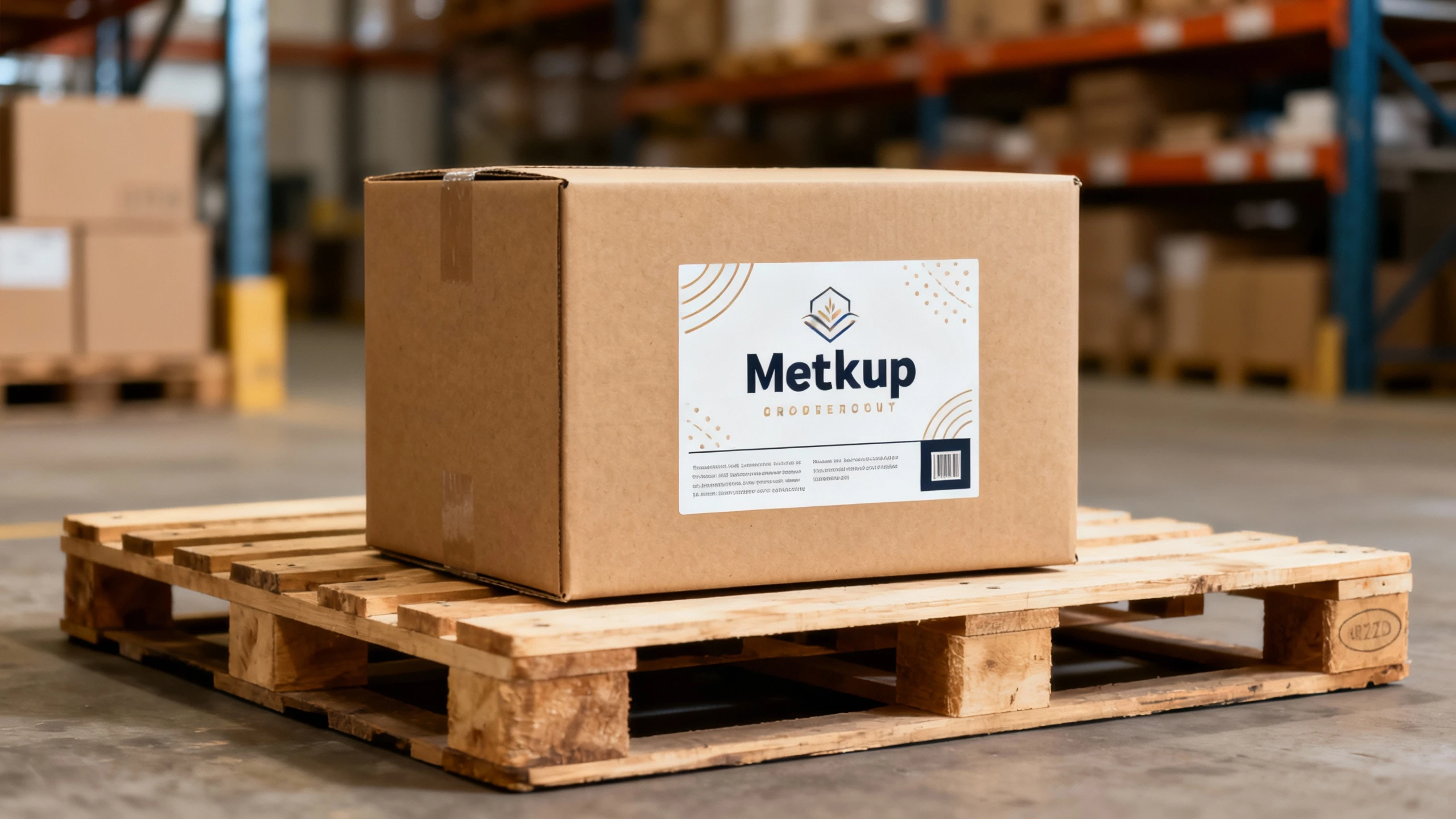
Key Points: Material textures, realistic lighting, context that shows scale and use
Recommended Model: 🌟 Nano Banana Pro for packaging with text and labels; 🎨 SeeDream for artistic packaging presentations
👕 Apparel & Fashion
Use Cases: Clothing stores, print-on-demand, fashion brands, size/color variants
Prompt Example:
Black hoodie flat lay mockup on concrete surface, top-down view,
urban street style photography, natural outdoor lighting,
high-quality apparel photography, clean and modern
Key Points: Fabric texture, fit and drape, lifestyle context, color accuracy
Recommended Model: 🌟 Nano Banana Pro for detailed fabric textures; ✨ Dreamina for vibrant fashion photography
3.2 Marketing & Brand Materials
📱 Tech & Device Mockups
Use Cases: App showcases, UI/UX presentations, tech product launches, software marketing
Prompt Example:
Smartphone mockup held in hand, screen displaying mobile app interface,
modern minimalist office background, natural window light,
professional tech product photography, sharp focus on device
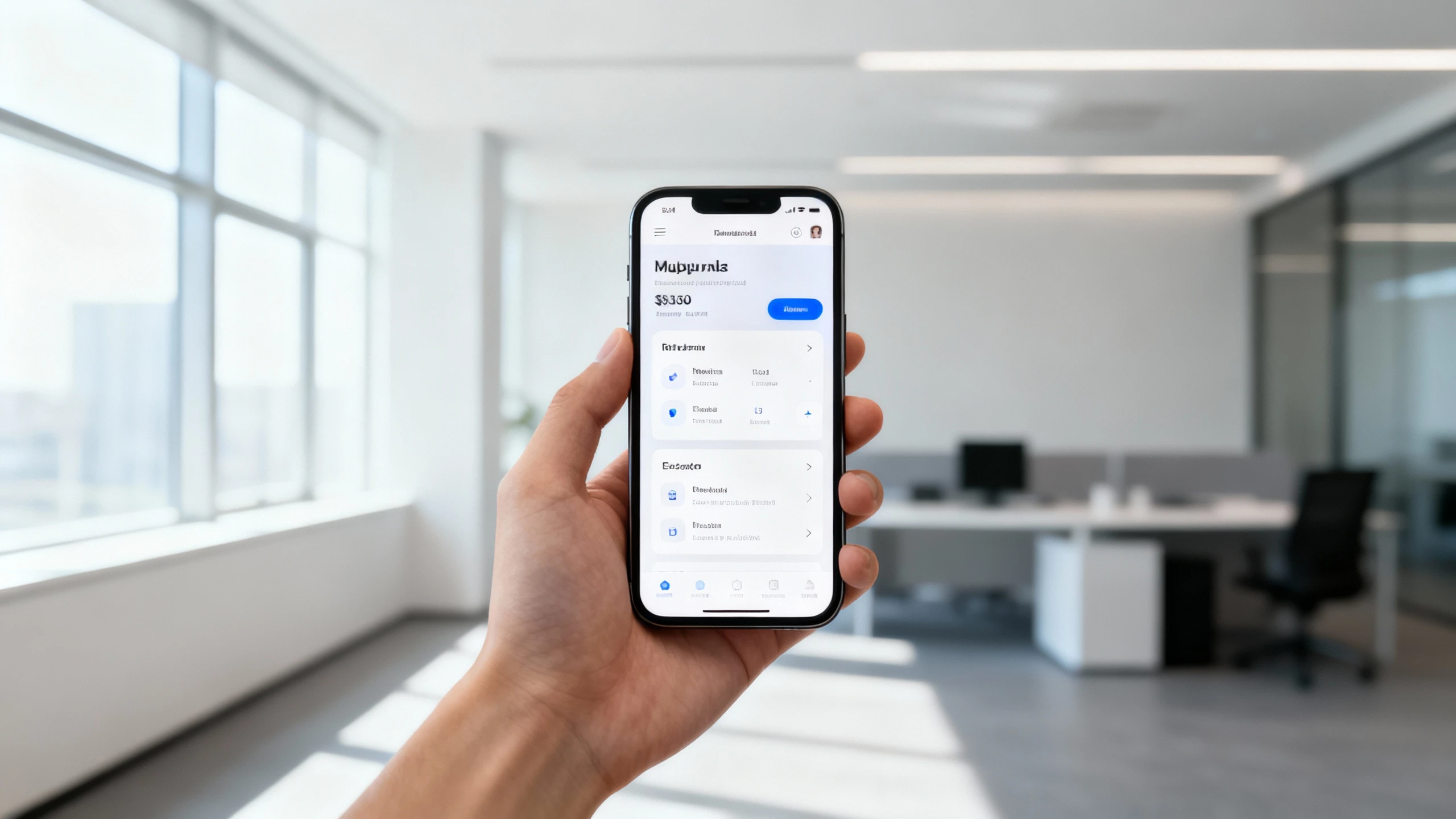
Recommended Model: 🌟 Nano Banana Pro for ultra-sharp screen details and professional tech photography
📖 Print Materials (Books, Magazines, Flyers)
Use Cases: Publishing, magazine previews, brochure design, marketing collateral
Prompt Example:
Hardcover book mockup on rustic wooden table, open to middle pages,
warm reading lamp light, cozy reading nook background with bookshelf,
atmospheric lifestyle photography, inviting and warm
Key Points: Material quality (paper, binding), reading context, atmospheric lighting
Recommended Model: 🎨 SeeDream for warm, atmospheric book photography; 🌟 Nano Banana Pro for cover details
☕ Food & Beverage Packaging
Use Cases: Coffee brands, beverage companies, food packaging design, restaurant menus
Prompt Example:
Coffee bag mockup standing upright on café counter, matte finish packaging,
espresso machine blurred in background, warm café lighting,
steam and coffee beans as props, appetizing product photography
Key Points: Appetizing presentation, contextual props, material finish (matte/glossy)
Recommended Model: 🌟 Nano Banana Pro for packaging labels with text; 🎨 SeeDream for warm, appetizing food styling
3.3 Professional Services & Client Work
🎨 Design Agency Presentations
Use Cases: Client pitches, design proposals, portfolio showcases, concept approvals
Prompt Example:
Business card mockup set arranged in creative flat lay,
minimalist desk with laptop and coffee cup, designer workspace aesthetic,
soft natural light from above, professional brand photography, clean composition
Key Points: Professional setting, clean composition, brand-focused, presentation-ready
Recommended Model: 🌟 Nano Banana Pro for business cards with text and logos; ✨ Dreamina for modern brand aesthetics
🎪 Event & Signage Mockups
Use Cases: Event planning, trade show displays, retail signage, poster presentations
Prompt Example:
Roll-up banner stand mockup at modern conference venue,
bright exhibition hall lighting, blurred crowd in background,
professional event photography, corporate presentation quality
Key Points: Scale and placement, venue context, professional event setting
Recommended Model: 🌟 Nano Banana Pro for banners with readable text and graphics
🎁 Custom Products & Personalization
Use Cases: Print-on-demand businesses, custom gift shops, personalized products, Etsy sellers
Prompt Example:
Custom ceramic mug with personalized text, sitting on gift box with ribbon,
festive background with fairy lights, warm and inviting gift photography,
product shot for online gift store
Key Points: Gift presentation, personalization highlighted, emotional appeal
Recommended Model: 🌟 Nano Banana Pro for mugs with custom text; 🎨 SeeDream for warm gift photography
3.4 Social Media & Content Marketing
📸 Instagram & Social Media Posts
Use Cases: Social media marketing, influencer content, brand storytelling, engagement posts
Prompt Example:
Product flat lay for Instagram, aesthetic workspace setup,
laptop, notebook, coffee cup, and product arranged artfully,
pastel color palette, soft shadows, Instagram-worthy photography, bright and clean
Key Points: Aesthetic composition, Instagram trends, lifestyle context, shareable quality
Recommended Model: ✨ Dreamina for vibrant, social-media-optimized imagery with modern aesthetics
📣 Product Launch Campaigns
Use Cases: Product announcements, launch campaigns, press releases, promotional materials
Prompt Example:
Dramatic product reveal shot, new smartwatch on display pedestal,
spotlight illumination against dark background, premium product photography,
high-end tech launch aesthetic, cinematic quality
Key Points: Dramatic presentation, premium feel, attention-grabbing, launch-worthy quality
Recommended Model: 🌟 Nano Banana Pro for premium, high-impact product launch visuals
📊 Before/After Comparisons
Use Cases: Product benefits, transformation stories, comparison marketing, testimonials
Prompt Example:
Side-by-side product comparison, two versions of same product on neutral background,
clean separation, studio lighting, clear product differentiation,
commercial comparison photography
Key Points: Clear differentiation, fair comparison, professional neutrality
Recommended Model: 🌟 Nano Banana Pro for precise, professional comparison shots
4. Product Mockup Prompt Writing Guide
4.1 Product Mockup Prompt Structure
Recommended Format:
[Product Type] + [Presentation Style] + [Context/Background] + [Lighting] + [Quality/Style]Example Breakdown:
"White ceramic coffee mug" (Product Type)
"held in hands, front view" (Presentation Style)
"cozy kitchen background with window" (Context/Background)
"soft morning natural light" (Lighting)
"product photography, high-resolution, e-commerce quality" (Quality/Style)
4.2 Product Mockup-Specific Keywords
Product Types:
- Packaging:
box mockup,bag mockup,bottle mockup,can mockup,pouch mockup,label design - Apparel:
t-shirt mockup,hoodie mockup,hat mockup,shoes mockup,on model,flat lay - Devices:
phone mockup,laptop mockup,tablet mockup,smartwatch mockup,screen display - Print:
business card,flyer mockup,poster mockup,book cover,magazine mockup - Drinkware:
mug mockup,bottle mockup,glass mockup,tumbler mockup
Presentation Styles:
- Studio:
white background,clean background,isolated product,studio lighting,centered composition - Lifestyle:
in use,hand-held,on table,in context,lifestyle shot,environmental portrait - Flat Lay:
top-down view,flat lay composition,overhead shot,arranged artfully - On Model:
worn by model,person wearing,lifestyle model,in action
Background & Context Keywords:
- Minimal:
white background,gray background,clean backdrop,seamless background,studio backdrop - Natural:
wooden table,marble surface,concrete floor,outdoor setting,natural environment - Lifestyle:
home interior,office desk,café setting,workspace,kitchen counter - Commercial:
store shelf,retail display,warehouse,shipping area,professional setting
Lighting Keywords:
- Natural:
natural light,window light,soft daylight,morning light,golden hour,outdoor lighting - Studio:
studio lighting,even lighting,soft box light,no harsh shadows,professional lighting - Dramatic:
spotlight,dramatic shadows,chiaroscuro,rim lighting,backlit - Atmospheric:
warm lighting,cozy ambiance,soft glow,diffused light
Quality Indicators:
- Commercial:
product photography,commercial quality,professional shot,catalog quality - E-commerce:
e-commerce ready,marketplace listing photo,high-resolution product shot - Technical:
sharp focus,high detail,crisp edges,accurate colors,photorealistic
4.3 Common Mistakes & Optimization
❌ Poor Example: "product on table"
✅ Optimized: "Ceramic coffee mug on rustic wooden table, natural window light, cozy kitchen background, product photography, high-quality e-commerce shot"
❌ Poor Example: "t-shirt mockup"
✅ Optimized: "White cotton t-shirt flat lay on concrete surface, top-down view, urban aesthetic, natural outdoor lighting, apparel product photography, clean and modern"
❌ Poor Example: "phone with app"
✅ Optimized: "iPhone mockup held in hand showing mobile app interface, modern office background, soft natural light from window, professional tech product photography, sharp focus on screen"
4.4 E-commerce Platform Requirements
Google Shopping / Merchant Center Compliance:
DO Include:
- Accurate product representation
- Clean, uncluttered backgrounds
- High resolution (minimum 800x800 pixels)
- Proper lighting showing true colors
- Multiple angles when possible

DON'T Include:
- Promotional text overlaid on image ("SALE!", "50% OFF")
- Watermarks or logos
- Borders or frames
- Placeholder images or low-quality upscales
- Cluttered or distracting backgrounds
Prompt Tip for Compliance: Add to negative prompt:
promotional text, watermark, logo overlay, border, frame, cluttered background, low qualityAmazon Product Image Requirements:
- Main image: Pure white background (RGB 255, 255, 255)
- Product fills 85% or more of frame
- Minimum 1000 pixels on longest side (for zoom feature)
- Additional images can show lifestyle/in-use contexts
Prompt Tip for Amazon Main Images:
[Product name] centered on pure white background, product fills 85% of frame,
even studio lighting, no shadows on background, professional product photography,
high-resolution 2000x2000 pixels, e-commerce quality
4.5 Negative Prompts for Product Mockups
Purpose: Ensure clean, professional, platform-compliant product images
Common Negative Keywords:
Compliance Issues: promotional text, watermark, logo overlay, "SALE" text,
price tags, borders, frames

Quality Issues: blurry, pixelated, low quality, distorted, artifacts,
noisy, overexposed, underexposed

Composition Issues: cluttered background, distracting elements,
off-center (for e-commerce), cropped product, multiple products (when wanting single)

Unwanted Styles: cartoon, illustration, sketch, unrealistic,
over-processed, excessive filters
Example:
Prompt: "White ceramic mug on wooden table, soft natural light,
product photography, e-commerce quality"

Negative Prompt: "promotional text, watermark, blurry, cluttered background,
cartoon style, low quality, distorted, shadows on product, multiple mugs"
5. Product Mockup Generator FAQs
Q1: Can I use AI-generated product mockups for commercial purposes?
A: Yes, product mockups generated with our platform can typically be used commercially:
- E-commerce: Use on Amazon, Etsy, Shopify, and other online stores
- Marketing: Include in ads, social media, promotional materials
- Client Work: Present to clients in design pitches and proposals
- Print: Use in catalogs, brochures, and print marketing
- Licensing: Review our specific terms for commercial usage rights; Pro plans typically include full commercial licenses
Best Practice: Always review platform-specific image requirements (Amazon, Google Shopping, etc.) to ensure compliance.
Q2: How do I ensure my product mockups meet e-commerce platform requirements?
A: Follow these platform-specific guidelines:
For Amazon:
- Main image: Pure white background (RGB 255, 255, 255)
- Product must fill 85%+ of image frame
- Minimum 1000px on longest side (recommend 2000px+)
- No text, logos, or watermarks on main image
- Additional images can show lifestyle contexts
For Google Shopping:
- Accurate product representation without promotional text
- Clean backgrounds (white or lifestyle appropriate)
- No watermarks, borders, or overlaid logos
- High resolution (minimum 800x800, recommend 1200x1200+)
- Use negative prompts to exclude:
promotional text, watermark, border, "SALE" text
For Etsy:
- Minimum 2000px wide (for zoom feature)
- First image should be on white/clean background
- Additional images can show lifestyle/in-use shots
- Show scale and details in multiple angles
Pro Tip: Use Nano Banana Pro at 4K resolution to exceed all platform requirements and enable cropping flexibility.
Q3: Which AI model should I choose for product mockups?
A: Choose based on your specific product type and requirements:
- Choose Nano Banana Pro when:
- Creating e-commerce listings requiring 4K resolution
- Product has text, labels, or logos that must be readable
- Need maximum detail for print catalogs
- Creating packaging mockups with brand elements
- Generating tech product mockups (phones, laptops) with screen details
- Professional client presentations requiring premium quality
- Choose SeeDream when:
- Creating artistic or lifestyle product photography
- Want warm, atmospheric product shots (food, books, gifts)
- Emphasizing texture and material quality
- Brand storytelling imagery with emotional appeal
- Product photography with painterly, natural aesthetics
- Choose Dreamina when:
- Need fast generation for social media content
- Creating vibrant, modern product presentations
- Fashion and apparel mockups with contemporary style
- Quick iterations and color variants
- Instagram and social media marketing visuals
Q4: How can I generate multiple color variants of the same product?
A: Create color variants efficiently:
Method 1: Regenerate with color specifications
Base prompt: "Cotton t-shirt flat lay on wooden surface,
product photography, e-commerce quality"

For each color:
- "Red cotton t-shirt flat lay..."
- "Navy blue cotton t-shirt flat lay..."
- "Forest green cotton t-shirt flat lay..."
Method 2: Use consistent scene, change product color
- Generate first mockup with complete scene description
- Keep exact same prompt structure
- Only change the color adjective
- Use same model and settings for consistency
Pro Tip: Generate all variants in one session (using batch generation 1-4 at a time) to maintain lighting and composition consistency. Save your base prompt template for future color variants.
Q5: Can Nano Banana Pro generate mockups with custom text and logos?
A: Yes! Nano Banana Pro (powered by Gemini 3 Pro Image) features advanced text rendering:
How to use:
- Specify exact text in quotes in your prompt
- Example:
Coffee bag mockup with label reading "MOUNTAIN BREW COFFEE" - Example:
Business card mockup displaying "John Smith | Designer"
Best for:
- Packaging with brand names and product descriptions
- Business cards with names and titles
- Signage and banners with headlines
- Book covers with titles
- Product labels with ingredients or instructions
Tips:
- Be explicit about font style (e.g., "bold sans-serif font", "elegant script")
- Specify text placement (e.g., "centered on front", "top right corner")
- Keep text concise for best results
- May require 2-3 iterations for perfect text rendering
Limitations: Complex logos or intricate designs work better as reference image uploads rather than text descriptions.
Q6: How do I create lifestyle vs. studio mockups?
A: Differentiate with specific prompt strategies:
Studio Mockups (for e-commerce main images):
Prompt structure:
[Product] on [clean/white/gray] background, centered composition,
even studio lighting, no shadows, professional product photography,
e-commerce quality

Example:
"White sneakers on pure white background, centered, even lighting,
no shadows, product photography, high-resolution e-commerce shot"
Lifestyle Mockups (for additional images and marketing):
Prompt structure:
[Product] in [real-world context], [activity/scene description],
[natural lighting], lifestyle photography, [mood/atmosphere]

Example:
"White sneakers worn by person walking on urban street,
modern city background, natural daylight, lifestyle product photography,
active and energetic mood"
Strategy: Create both types for complete product listings—studio shots for main images (platform compliance), lifestyle shots for additional images (emotional connection and context).
Q7: What resolution should I choose for different uses?
A: Resolution guide for product mockups:
E-commerce Platforms:
- Amazon: 2000x2000 minimum (recommended: 4K for zoom)
- Etsy: 2000px width minimum (recommended: 4K)
- Shopify: 2048x2048 (recommended: 4K for theme flexibility)
- eBay: 1600x1600 minimum (recommended: 2048x2048)

Print Materials:
- Catalogs: 4K (3840x2160 or 4096x4096)
- Brochures: 2560x1440 minimum (4K preferred)
- Large Format: Always 4K, consult printer for specific requirements

Digital Marketing:
- Website Hero Images: 2560x1440 (16:9) or 2048x2048 (square)
- Social Media: 1080x1080 (Instagram), 1080x1920 (Stories)
- Email Marketing: 1200x1200 (fast loading, sufficient quality)
- Display Ads: 1200x1200 or 1200x628 (per platform specs)

Client Presentations:
- PowerPoint/Keynote: 1920x1080 or 2560x1440
- Portfolio: 2048x2048 or 4K for premium quality
General Rule: When in doubt, generate at highest resolution (4K). You can always downsize for specific uses, but cannot upsize without quality loss.
Q8: How do I make my product mockups look more realistic?
A: Enhance realism with these techniques:
1. Lighting Details:
- Specify light source:
natural window light from left,soft overhead lighting - Add shadows:
subtle shadow on surface,natural drop shadow - Include reflections:
slight reflection on glossy surface(for relevant products)
2. Context and Props:
- Add complementary items:
coffee cup and notebook nearby,scattered coffee beans - Include hands:
held in hands,person pouring from bottle - Environmental elements:
steam rising from hot beverage,condensation on cold drink
3. Material Specificity:
- Describe textures:
matte finish cardboard,glossy ceramic surface,soft cotton fabric - Surface details:
visible fabric weave,paper grain texture,wood grain visible
4. Imperfections (for ultra-realism):
- Slight variations:
slightly uneven folding,natural fabric wrinkles,organic arrangement - Depth of field:
background slightly blurred,shallow depth of field,bokeh effect
5. Photography Terms:
- Use professional terminology:
product photography,commercial shot,catalog quality - Camera specs:
shot with 50mm lens,shallow depth of field,f/2.8 aperture
Example Realistic Prompt:
Ceramic coffee mug held in hands, fingers wrapped around mug,
steam gently rising from hot coffee inside, kitchen window background
slightly blurred, soft morning natural light from left creating subtle shadows,
matte ceramic texture visible, photorealistic product photography,
shot with 50mm lens, shallow depth of field
Q9: Can I create mockups for products I haven't manufactured yet?
A: Absolutely! This is one of the primary use cases:
Pre-Production Visualization:
- Test product designs before manufacturing
- Show concepts to stakeholders or investors
- Gather customer feedback through surveys
- Create crowdfunding campaign visuals (Kickstarter, Indiegogo)
Design Iteration:
- Generate multiple design variations quickly
- Compare different colors, styles, and presentations
- Refine product concepts based on visual mockups
- Make data-driven decisions before production
Marketing Preparation:
- Prepare marketing materials while product is in production
- Create pre-launch campaigns and teasers
- Build product pages and listings ahead of inventory
- Start social media buzz before physical samples arrive
Cost Savings:
- Avoid expensive physical prototype photography
- No need for professional photo shoots until final production
- Test market response before committing to inventory
- Validate product-market fit with realistic visuals
Workflow: Generate mockups → gather feedback → refine design → produce physical product → replace with actual product photos (or keep AI mockups if photorealistic enough).
Q10: What's the difference between using Nano Banana Pro vs. traditional mockup templates?
A: Key differences and advantages:
Traditional Mockup Templates:
- Limited to pre-designed scenes and angles
- Require design software skills (Photoshop, etc.)
- Fixed lighting, backgrounds, and compositions
- Manual placement and perspective adjustment
- Template library limitations
Nano Banana Pro AI Generation:
- Unlimited Customization: Describe any scene, context, or angle
- No Design Skills Required: Generate from text descriptions
- Dynamic Scenes: Create unique contexts not available in templates
- Quick Iterations: Regenerate with variations in seconds
- Natural Realism: AI understands lighting, shadows, and physics
- Context Variety: Easily switch between studio, lifestyle, and creative presentations
Best Approach: Use AI generation for:
- Unique scenes and contexts
- Quick iterations and explorations
- Lifestyle and environmental shots
- Products with custom text and labels
- When you need dozens of variations quickly
When to Consider Templates: If you need identical product placement across hundreds of items (e.g., entire catalog with same angle), templates offer more precise consistency. However, Nano Banana Pro with detailed prompts can achieve similar consistency with added flexibility.
Ready to create professional product mockups? Start generating realistic product presentations with Nano Banana Pro and SeeDream today. Transform your product ideas into stunning visuals in seconds!